


What happened?
The error "Unable to verify the extruder type, check the wiring and connectors" appears on the screen.
Error name: Extruder not detected
Error code: #31615 (CORE One) #35615 (CORE One L) #36615 (CORE One INDX) #26615 (MK4S) #13615 (MK4) #27615 (MK3.9S) #21615 (MK3.9) #28615 (MK3.5S) #23615 (MK3.5)
How to fix it?
Printer is equipped with INDX
In case of converting a CORE One to a CORE One INDX, prior to the conversion, it is necessary to have firmware version 6.5.3 or higher.
Once the INDX head and main cable are installed, it is not possible to flash CORE ONE firmware, as it triggers this error.
In this scenario, it is necessary to connect CORE One Nextruder with a LoveBoard and all the LoveBoard peripherals to achieve a successful flash.
Printer is equipped with LoveBoard
This error is caused by a communication error between the LoveBoard and the xBuddy board. Check and reconnect the main cable on the xBuddy and the LoveBoard.
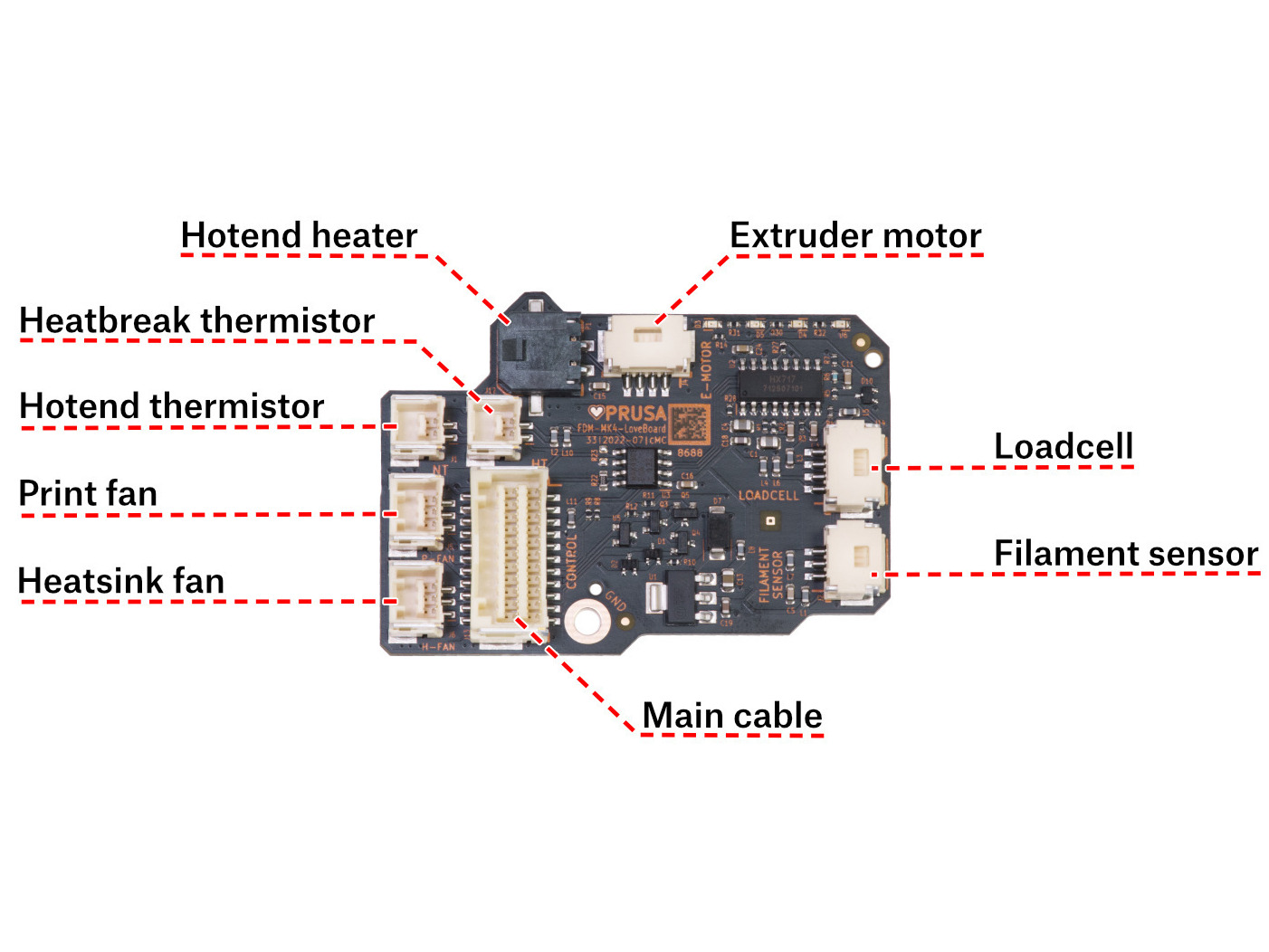 | 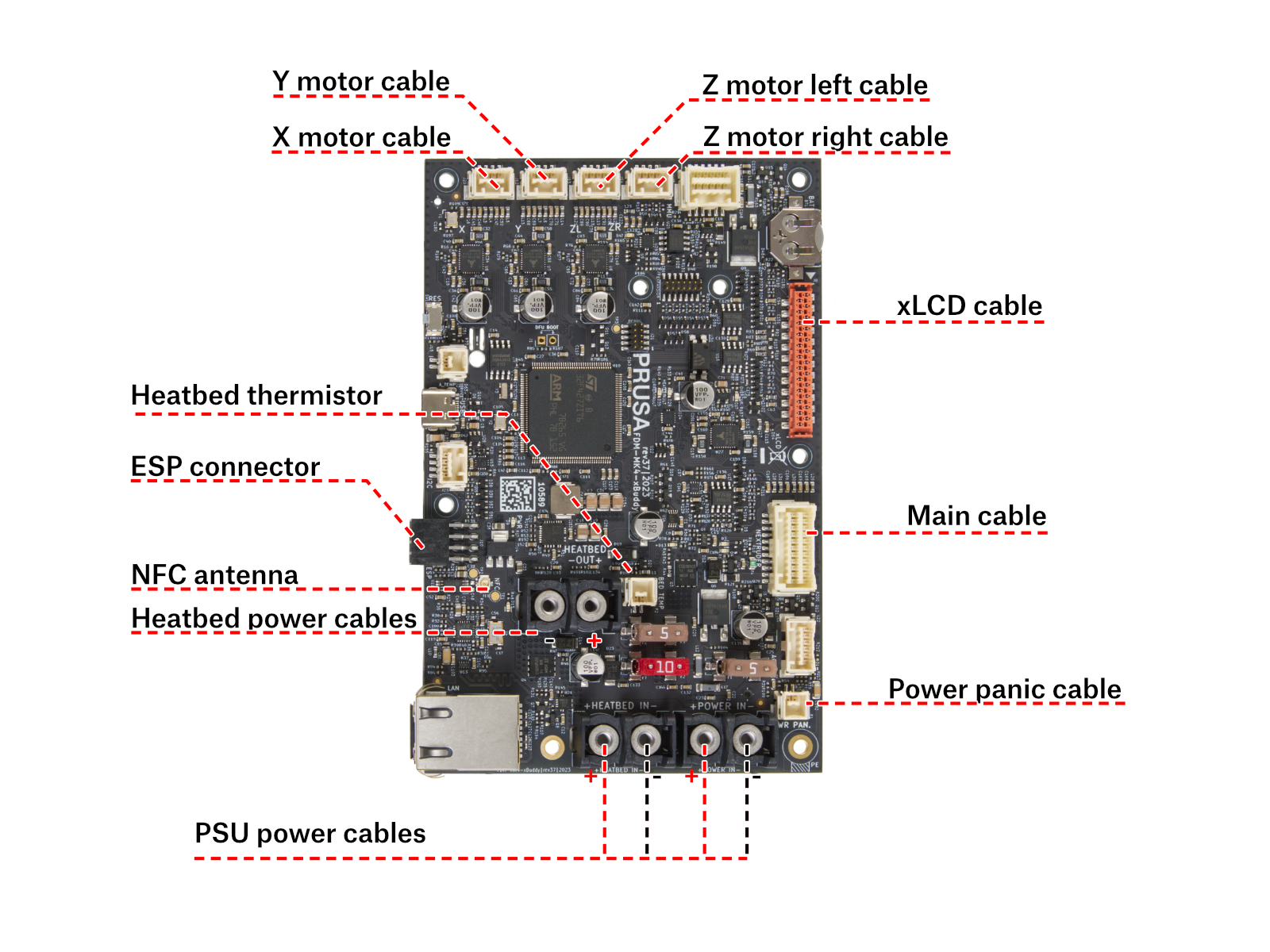 |
If this does not solve the issue, contact Zákaznická podpora.