Italiano
Login
Stampanti 3D
Materiali
Componenti e accessori
Per le aziende
Software
Modelli 3D
Community
Aiuto
Corsi
Blog
Azienda
Supporto
Prusa CORE One L
Manutenzione della stampante
How to replace the Buddy3D camera cable (CORE One L) | Iniziare il montaggio
1. Iniziare il montaggio
Passo 1 di 51 (Capitolo 7 di 18)
Contenuti
Commenti
Difficoltà
Difficile
Lingue disponibili
Iniziare il montaggio
Contenuti
Manutenzione della stampante
Come installare l'adattatore Ugello Nextruder V6 (CORE One L)
Come sostituire l'Ugello Prusa (CORE One L)
Come sostituire un gruppo hotend (CORE One L)
Come sostituire la ventola dell'hotend (CORE One L)
How to replace the side filament sensor (CORE One L)
Come installare il sistema di filtrazione avanzato (CORE One L)
How to replace the Buddy3D camera cable (CORE One L) [Traduzione in corso]
Iniziare il montaggio
Introduzione
Attrezzi necessari per questa guida
Preparing the printer
Scollegare la fotocamera
Rimuovere il pannello dello sportello
Rimozione della copertura in plexiglass
Rimuovere la copertura laterale in metallo
Proteggere il piano riscaldato
Accesso alla vite del profilo angolare
Rimuovere il profilo angolare (Parte 1)
Removing the corner profile (Part 2)
Rimontaggio del pannello LCD
Rimozione del pannello LED
Accessing the cables (part 1)
Accesso ai cavi (parte 2)
Rimozione del modulo Wi-Fi
Rimozione delle coperture dell'elettronica
Scollegare i cavi
Scollegare i cavi dell'alimentatore
Controllare i cavi
Rimozione dei cavi del piano riscaldato
Rimozione del pannello posteriore
Rimozione del pannello posteriore (parte 1)
Rimozione del pannello posteriore (parte 2)
Rimozione del pannello posteriore (parte 3)
Rimuovere i morsetti dei cavi
Rimozione del cavo USB-C
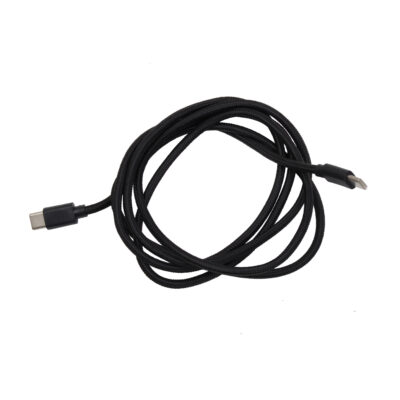
Preparazione dei componenti: cavo USB-C per fotocamera Buddy3D
Collegare il nuovo cavo USB-C
Rimontaggio del pannello posteriore (parte 1)
Rimontaggio del pannello posteriore (parte 2)
Rimontaggio del pannello posteriore (parte 3)
Ricollegare i cavi di alimentazione xBuddy
Ricollegare il cavo FE principale
Ricollegare i cavi del piano riscaldato
Ricollegare i cavi (parte 1)
Ricollegare i cavi (parte 2)
Controllare la lunghezza del cavo
Coprire l’elettronica
Ricollegare il modulo Wi-Fi
Ricollegare i morsetti dei cavi (parte 1)
Reattaching the cable clamps (part 2)
Ricollega il LED e il sensore dello sportello
Rimontaggio del profilo angolare
Rimontaggio del pannello LCD
Montaggio del pannello laterale
Montare il pannello dello sportello
Ricollegare la fotocamera
Testare la fotocamera
Ben fatto
Come sostituire il riscaldatore dell'hotend (CORE One L)
Come sostituire il termistore dell'hotend (CORE One L)
Come sostituire il sensore di filamento Nextruder (CORE One L)
Come sostituire la ventola di stampa (CORE One L)
Come sostituire l'Accelerometro (CORE One L)
Come sostituire il Dissipatore dell'Hotend (CORE One L)
How to reverse the door orientation (CORE One L)
Come sostituire la LoveBoard (CORE One L)
Come sostituire il termistore dell'hotend (CORE One L)
How to replace the White LED strip (CORE One L)
Come confezionare la Prusa CORE One L per il reso
Commenti
Accedi
per inviare un commento
Nessun commento