


Tiskový profil pro tiskárnu Signature Oak je k dispozici v PrusaSliceru 2.9.4 a novějších verzích.
Pokud ve výpisu tiskáren nevidíte model Signature Oak, je to s největší pravděpodobností způsobeno zastaralou verzí programu PrusaSlicer nebo konfiguračními profily.
Profil Signature Oak není v PrusaSliceru viditelný
Pokud profil pro Signature Oak chybí, zkontrolujte následující:
- Aktualizujte PrusaSlicer
- Ujistěte se, že používáte verzi 2.9.4 nebo novější.
- Starší verze profil Signature Oak neobsahují.
- Aktualizujte konfigurační profily
- I při použití správné verze programu PrusaSlicer se profil nemusí zobrazit, pokud máte zastaralé nastavení.
- Přejděte do Konfigurace -> Zkontrolujte, zda nejsou k dispozici aktualizace konfigurace
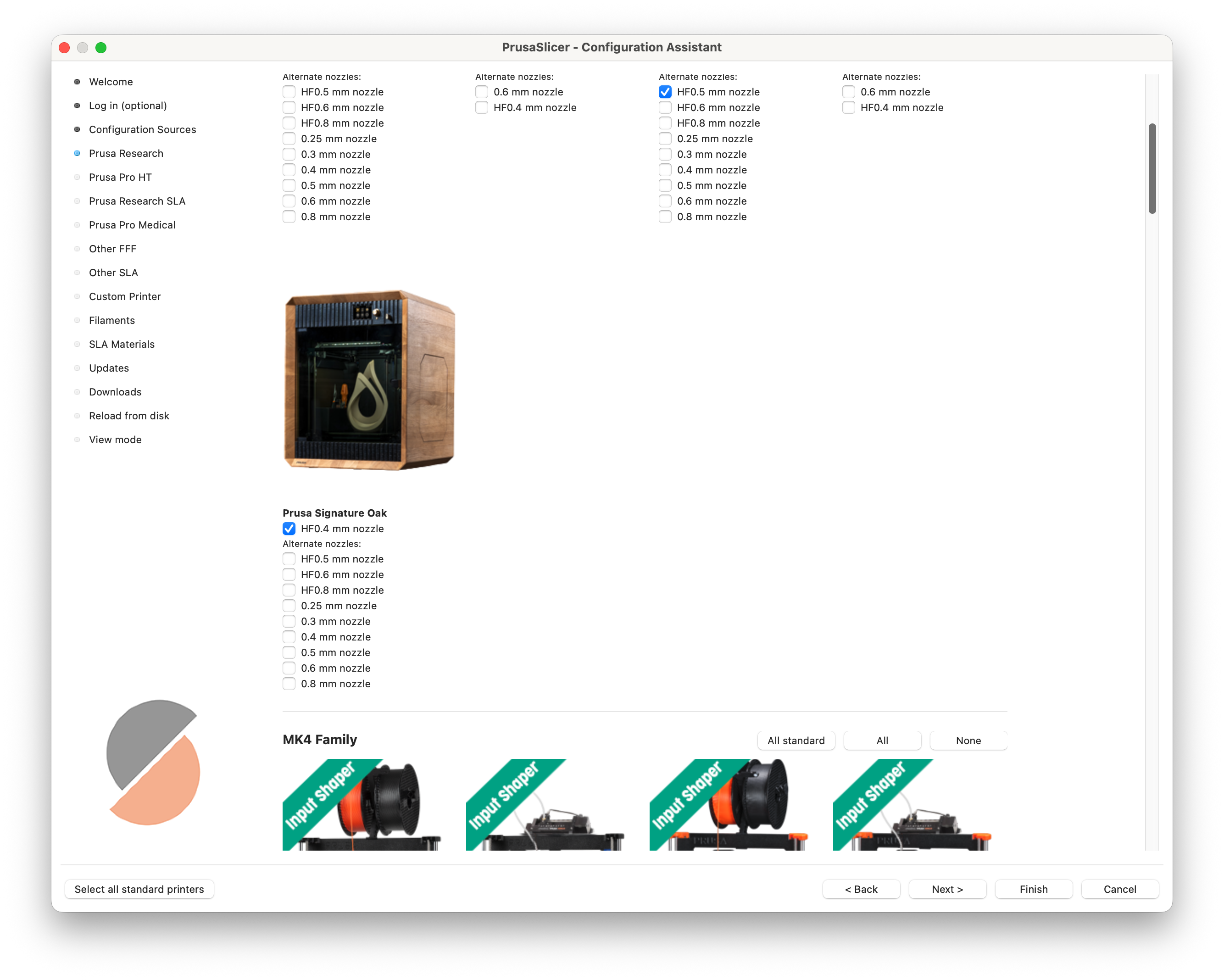
Případně spusťte Průvodce konfigurací znovu a zkontroujte, že je vybrán profil Signature Oak.
- Přidejte profil Oak ručně
- Pokud není profil stále viditelný, otevřete Průvodce konfigurací
- Přejděte ke kroku výběru tiskárny
- Najděte a vyberte profil Prusa Signature Oak
- Dokončete průvodce
- Pokud není profil stále viditelný, otevřete Průvodce konfigurací
Byl tento článek užitečný?
Tato akce je dostupná pouze registrovaným uživatelům. Prosím přihlaste se.