Italiano
Login
Stampanti 3D
Materiali
Componenti e accessori
Per le aziende
Software
Modelli 3D
Community
Aiuto
Corsi
Blog
Azienda
Supporto
Prusa Signature Oak
Prusa Signature Oak Disimballaggio & Primo avvio (1.00)
3. First run | Firmware update
1. Firmware update
Passo 1 di 11 (Capitolo 3 di 3)
Contenuti
Commenti
All printers are shipped with the latest firmware. However, it is recommended to check and possibly upgrade the firmware version.
⬢
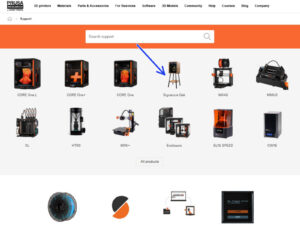
Visita la pagina
help.prusa3d.com
.
⬢
Navigate to the Prusa CORE One+ page.
⬢
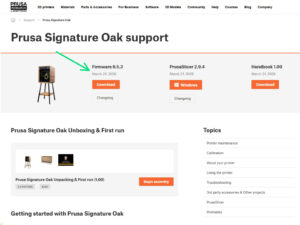
Save the firmware file (
.bbf)
onto the USB-C drive.
Pro tip: To access the Prusa Signature Oak homepage, you can use the URL:
prusa.io/signature-oak
Loading...
Successivo
Contenuti
Prusa Signature Oak Disimballaggio & Primo avvio
1. Introduction
2. Disimballare la stampante
3. First run [Traduzione in corso]
Firmware update
Accendere la stampante
Printer setup
Network setup
Door sensor calibration
Handbook
Give us feedback
Prusa Cheatsheet
Prusa knowledge base
Join Printables!
Well done!
Commenti
Accedi
per inviare un commento
Nessun commento