Relevant for


Before it can align with any of the filament positions, the selector on the MMU unit needs to be “homed” to determine its position. For that, the selector moves from one end stop to the other while measuring the distance between them. The selector will home after the unit starts up, has been reset, or after another error occurred.
In case the Selector can't find the first homing endstop, or the distance between the endstops differs from the expected value, the printer will show this error.
Distance between the Selector endstops: 75mm
Allowed deviation: 3mm
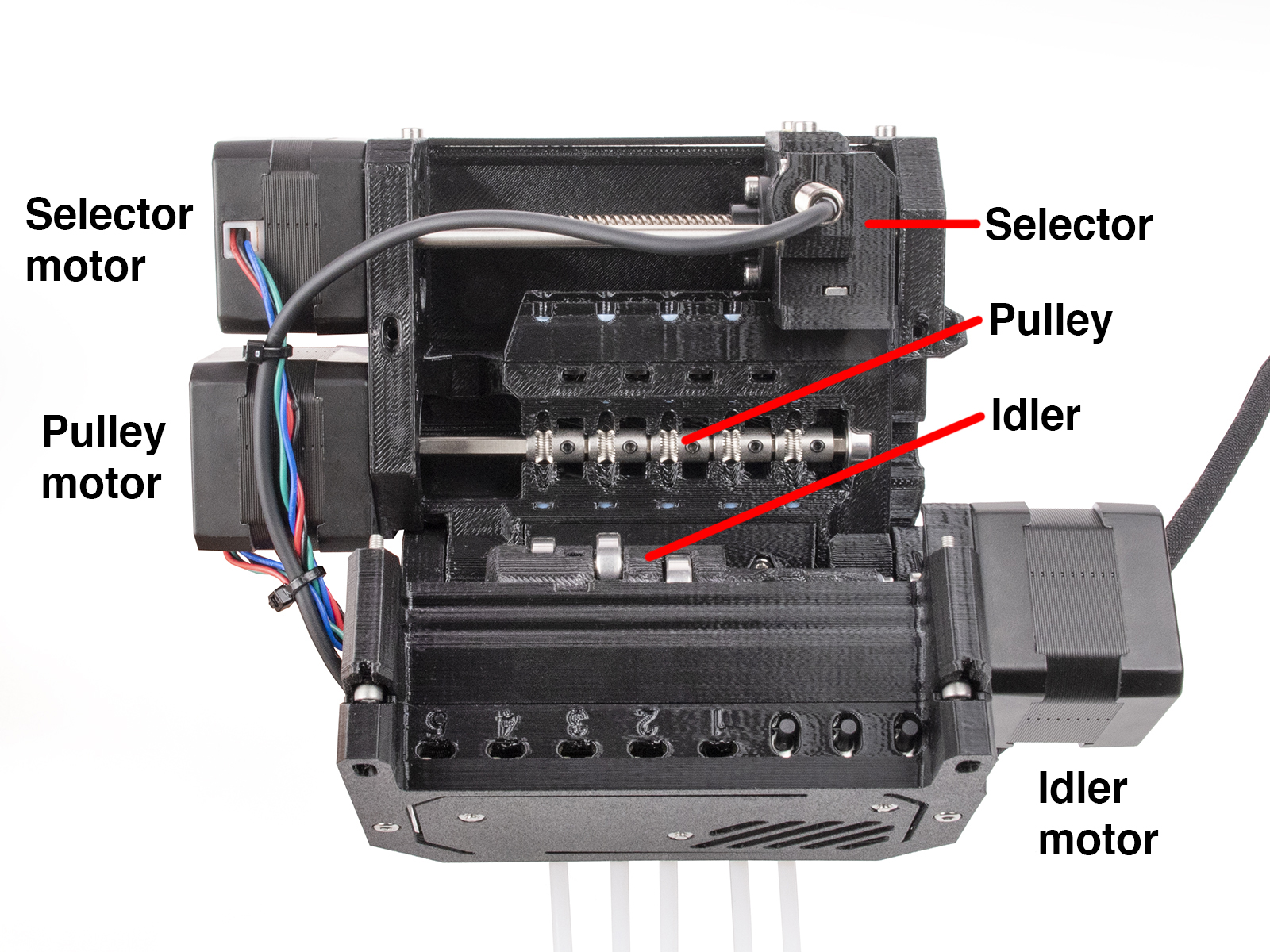
The selector might not move due to obstacles, debris, or remaining filament in its way. Before proceeding, make sure that the path of the selector is clean, and that any filament that has been cut by the selector blade is removed.
Clean also any filament that might be under the selector in the pulley body.
Open the front Festo fitting to check the Selector.
If there is filament sticking out from the front PTFE tube, or sticking out from the MMU unit into the selector, take an Allen key to push the filament back.
If the selector has tried to move with the filament still inside it, turn the printer off, and manually turn the motor threaded rod until it aligns with the pulley body and you can pull the filament from the back of the MMU unit or push from the front of the selector with an Allen key. After that, adjust the FINDA height.
In case the Selector is clean from filaments, check the following items in the MMU unit assembly.
4 comments
Hello. Please contact our support team.
I too am experiencing the "Selector cannot home" issue.
I tried both the above solutions and "Selector cannot home #04115", but initialization failed.
Of course, the operation of MMU2S in MK3S+ was perfect.
I tested it by switching between MK3S+ and MK4.(The firmware was also changed to the latest version suitable for each printer.)
It causes problems in MMU3 on MK4.
i am getting this error with selector stuck on the right hand side on a mmu3 created by upgrading a mmu2s. There are no visible obstructions, selector moves freely and I have double checked assembly. How can I debug further to see which of these cases is true:
1. mmu3 fails to find right end stop after 78mm
2. mmu3 finds right end stop before 72mm?
also, is there a way I can adjust the selector homing sensitivity?
If the items in the guide did not solve the issue, make a small video and contact our Customer Support.
The only solution i have found is to power down the printer mid print then manually turn the selector threaded rod such that the selector is in the middle and power back on and resume print. Definitely not an ideal situation. You have to hope and pray that during homing after power back on that everyting is exactly the same. As we all know the Prusa does not have end sensors or index sensor for homing, its just grind into the end untill the TMC chips detect over torque/ over current. I find it particulary distasteful that Prusa needs video evidence to look into this. I am curious if they are surprised with the exodus to BAMBU. I want to support the rep rap community but Prusa often puts the burden on the customers which is pathetic!!! How hard would it be for Prusa employees to manually put the selector close to the right side and then power on the machine such that homing occurs. Its very lazy on their end.