English
Login

MMU Overcurrent

#31310 (CORE One) #35310 (CORE One L) #26310 (MK4S) #13310 (MK4) #27310 (MK3.9S) #21310 (MK3.9) #28310 (MK3.5S) #23310 (MK3.5)

Relevant for

MMU3
MK4 family
MK3.9 family
MK3.5 family
CORE ONE family
49 comments
Article is also available in following languages
English
Čeština
Polski
Deutsch
Français
Español
Italiano
日本語

What happened?

The printer with the xBuddy board is equipped with a safety mechanism to detect power supply overcurrent situations in the Multi-material unit (MMU) connection. Upon detecting overcurrent, the printer automatically cuts off power and communication to the MMU unit as a preventive measure against damage. 

Error name: MMU Overcurrent

Error code: #31310 (CORE One) #35310 (CORE One L) #26310 (MK4S) #13310 (MK4) #27310 (MK3.9S) #21310 (MK3.9) #28310 (MK3.5S) #23310 (MK3.5)

I don't have an MMU installed

If you haven't installed an MMU, make sure to disable the MMU functionality in the printer's menu in Settings -> MMU Enable. However, if you still face this issue with the MMU option being turned off, it might indicate a damaged component on the xBuddy board. Please reach out to Customer support for assistance.

How to fix it?

First, ensure the printer is running firmware 6.2.3 or newer. If the issue persists, try a hard factory reset.

The MMU unit should not be connected or disconnected during regular use while the printer is in use.

If even after updating the firmware, the issue persists, inspect the MMU, Printer cable, and PD board for any signs of damage. Check the cable's path to the xBuddy board for any broken or pinched parts.

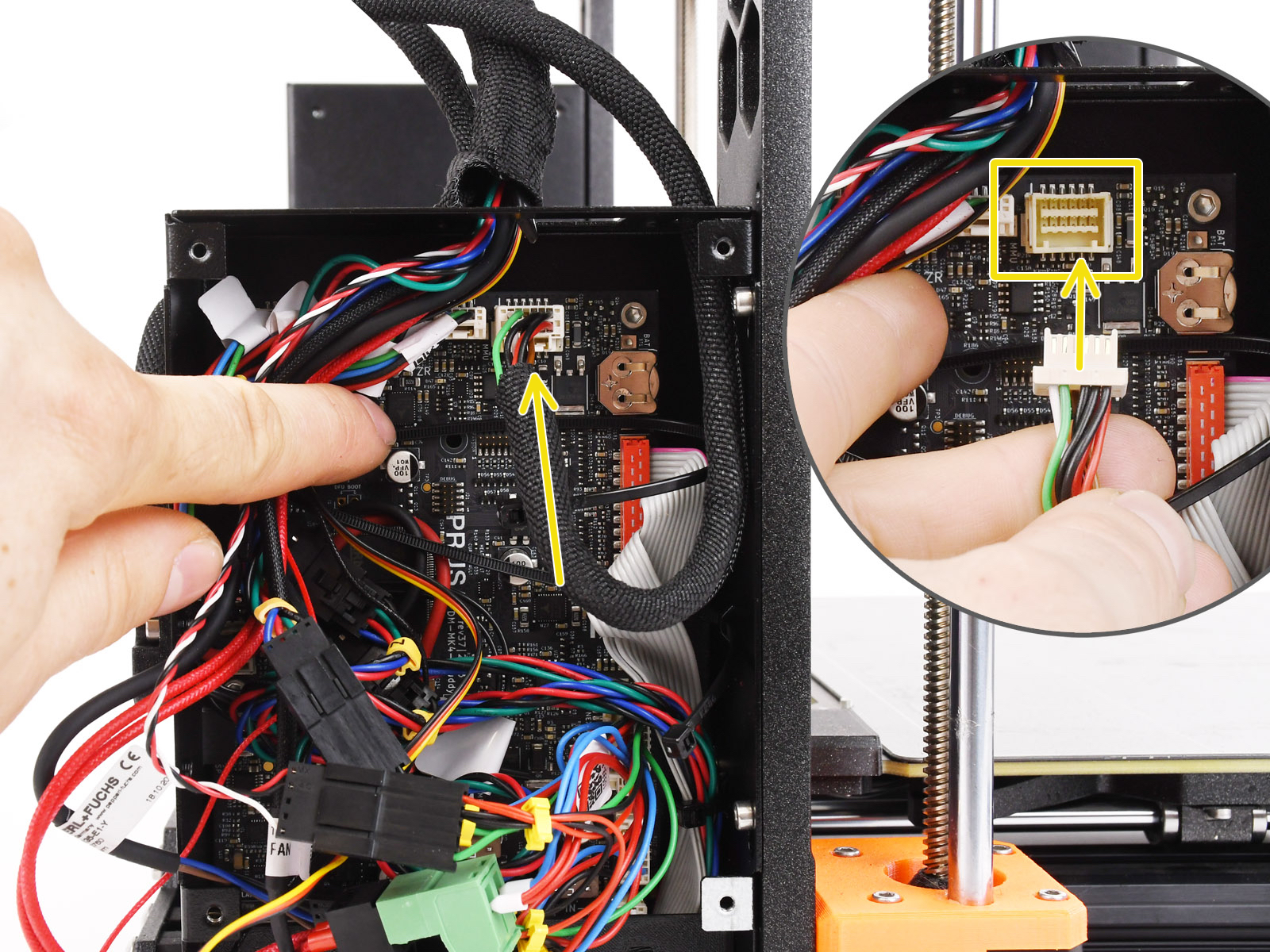
If there's no visible damage, ensure the cable connections to the MMU PDU and the xBuddy board are secure.

To troubleshoot, first disconnect the MMU cable from the xBuddy board, go to the printer menu in Settings -> MMU Enable, and set the MMU to off. Verify if the printer operates correctly with the MMU unit disconnected and the MMU functionality turned off. After confirming this, reconnect the MMU and test the printer with the MMU turned on.

In rare cases, this error message might be shown due to a damaged xBuddy board. Try checking the board for any signs of damage.

When contacting Customer support about this issue, it's crucial to specify not only what firmware and hardware are you using, but also the version of your printer's xBuddy board (e.g., 0.2.7 / v36, etc.), as there are variations in the electronic diagrams across different versions.

Technical information

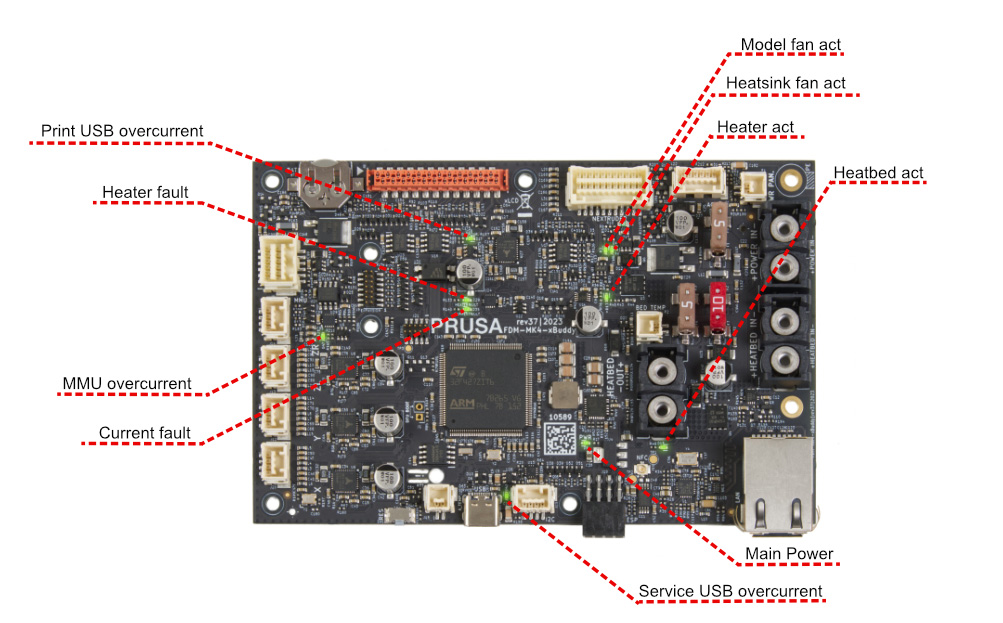
The xBuddy board is constantly monitoring the current flowing through the electronics. If the power draw exceeds 3.6A on the MMU connector's power line, the printer will display this error, and the corresponding LED indicator on the xBuddy board will illuminate. A potential overcurrent condition is likely to occur after the first startup, as power demand peaks while capacitors are charging. 

The xBuddy board is designed with the capability to fully manage power delivery to the MMU unit, incorporating a software feature to mitigate such overcurrent scenarios. However, this function is specifically calibrated for the original MMU3 unit. In certain unsupported hardware configurations, this may result in a false error indication.

Was this article helpful?
This action is available only to registered users. Please log-in.
 

20 comments

Log in  to post a comment
cortado
I have latest software on both MK4S (6.2.6-alpha+8916) and MMU3 (6.3.4). Still: every time I turn the printer off for a while, I get he overcurrent loop when turning on. Then there is fidling with cables, reboot, MMU on/off, twisting axle, and after 30 min of hazzle it normally ends up working. Then everything works like a charm until it has to be turned off. This is NOT sustainable, and it is only time before either the plug or cable connect to Buddy board is damaged due to being reconnected so many times. Please fix this Prusa!!!
Michael Cox
I had my original 3.5 upgrade buddy board replaced to try and address this issue, however it returned a few months after intermittently, but could be worked around by "twisting" the MMU selector tool rod causing self driven current during reboot. This was very random if this would work, so I got in the habit of leaving the printer on 24x7 to avoid a reset. After the last reset, due to a crash, nothing I could do would remove this error..... however I tried the latest firmware v6.2.3 24th-March-2025 that incorporates a "Hotfix for the MMU overcurrent"--and success. This appears to have resolved my issues at least and avoided another support ticket.
Michael Hall
I was changing the filament and a grub screw came out and jammed it. There's no cancel option so I had to turn off the printer. After I got the grub screw out, I retightend it and turned the printer back on. I got the over current error and nothing on this page helped. The 24/7 chat doesn't work, it just has a spinning circle.
Michael Hall
Problem solved. I used the firmware update Pierce mentioned in this thread. https://github.com/prusa3d/Prusa-Firmware-Buddy/releases/tag/v6.2.3-alpha1
Dustmaid
This firmware update fixed mine, too.
Andreas Dietzler
I agree, I installed the firmware upgrade and my problem was solved.
Teknopaul
Followup. Although I couldn't upgrade the MMU firmware I was able to download the Firmware for the Prusa Mk4s. After disconnecting the MMU the Prusa booted and loaded the new firmware 6.2.3 alpha. I then reconnected the MMU and it works!!! It appears to be a known error with the tolerances on some electrical components!! Why do users have to find this out the hard way - Prusa you should actively notify all users of the problem and solution (like a recall system) not leave us for days trying to rectify problems that are not of our making. This software update also addresses some other problems I have been having. Anyway thanks for the solution.
Teknopaul
Keeps happening to me after upgrading to Mk4s. If something goes wrong loading the filament (for example press load filament 2 instead of 1, or the filament is ejected out of the front of the mmu) the only way to stop the machine is to turn it off or restart, there are no abort options. During the restart the overcurrent warning comes on half way through the boot. I cant upgrade the firmware as I cant get the Prusa to boot fully giving power to the MMU. Very frustrating. I have checked the wires and buddy board all look ok. Usually after waiting 1/2 an hour it reboots but not this time the error is constant (so far). There are no jams, the motors all turn freely and the buddy board is firmly attached. This machine is definitely a step backwards. Now I dont have a Prusa printer that works.
Jan Kratochvíl
Hello. Please contact our support team for help.