Polski
Login
Drukarki 3D
Materiały
Części i akcesoria
Dla biznesu
Oprogramowanie
Modele 3D
Społeczność
Pomoc
Kursy
Blog
Firma
Wsparcie
Prusa Signature Oak
Prusa Signature Oak - rozpakowanie i pierwsze uruchomienie (1.00)
3. First run | Firmware update
1. Firmware update
Krok 1 z 11 (Rozdział 3 z 3)
Spis treści
Komentarze
All printers are shipped with the latest firmware. However, it is recommended to check and possibly upgrade the firmware version.
⬢
Odwiedź stronę
help.prusa3d.com
⬢
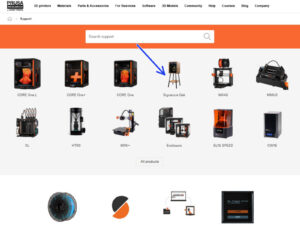
Navigate to the Prusa CORE One+ page.
⬢
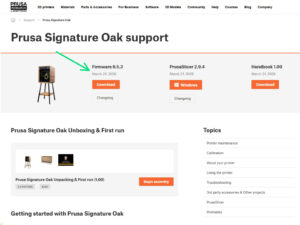
Save the firmware file (
.bbf)
onto the USB-C drive.
Pro tip: To access the Prusa Signature Oak homepage, you can use the URL:
prusa.io/signature-oak
Loading...
Dalej
Spis treści
Prusa Signature Oak - rozpakowanie i pierwsze uruchomienie
1. Introduction
2. Rozpakowanie drukarki
3. First run [Tłumaczenie w toku]
Firmware update
Włączenie drukarki
Printer setup
Network setup
Door sensor calibration
Handbook
Give us feedback
Prusa Cheatsheet
Prusa knowledge base
Join Printables!
Well done!
Komentarze
Zaloguj się
, aby dodać komentarz
Brak komentarzy