We
strongly recommend updating the firmware to the latest version. Do not skip this step.
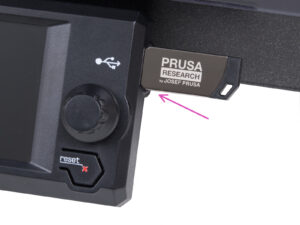
⬢Insert the included USB drive into the printer.
The USB drive contains the
latest firmware file.
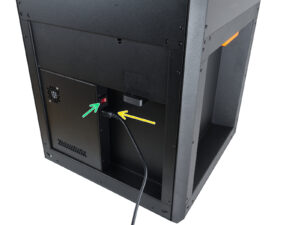
⬢Connect the power cable and plug the printer into a wall outlet.
⬢Turn the printer on using the switch on the back.
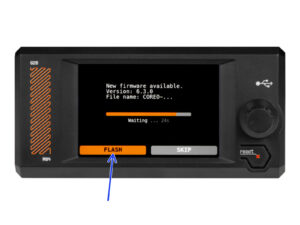
⬢The printer displays the “New firmware available” screen. Press the rotary knob to select FLASH and update to the latest firmware.