Relevante para


La impresora muestra el texto "Está fallando el home. ¿Quieres probar de nuevo?"
Nombre del Error: Fallo recuperación choque home
Código de Error: #31812 (CORE One) #35812 (CORE One L) #26812 (MK4S) #13812 (MK4) #27812 (MK3.9S) #21812 (MK3.9) #28812 (MK3.5S) #23812 (MK3.5) #17812 (XL) #12812 (MINI)
Asegúrate de que la trayectoria de los ejes X e Y esté despejada. Un obstáculo habitual podrían ser restos o hilos de filamento de una impresión anterior.
Asegúrate de que no haya asperezas en las varillas lisas ni en el riel lineal. Si lubricas las varillas lisas o los rodamientos lineales, ¡ten cuidado! El tipo de lubricante adecuado para cada componente es diferente y puede resultar perjudicial si se utiliza uno inadecuado. A continuación encontrarás las guías específicas para cada tipo.
En general, la correa puede aflojarse con el paso del tiempo. Un ligero aflojamiento durante una impresión podría provocar que apareciera el mensaje de advertencia.
Para comprobar y ajustar la tensión de la correa, sigue las instrucciones que figuran en la guía de ajuste de la correa específica para tu modelo de impresora.
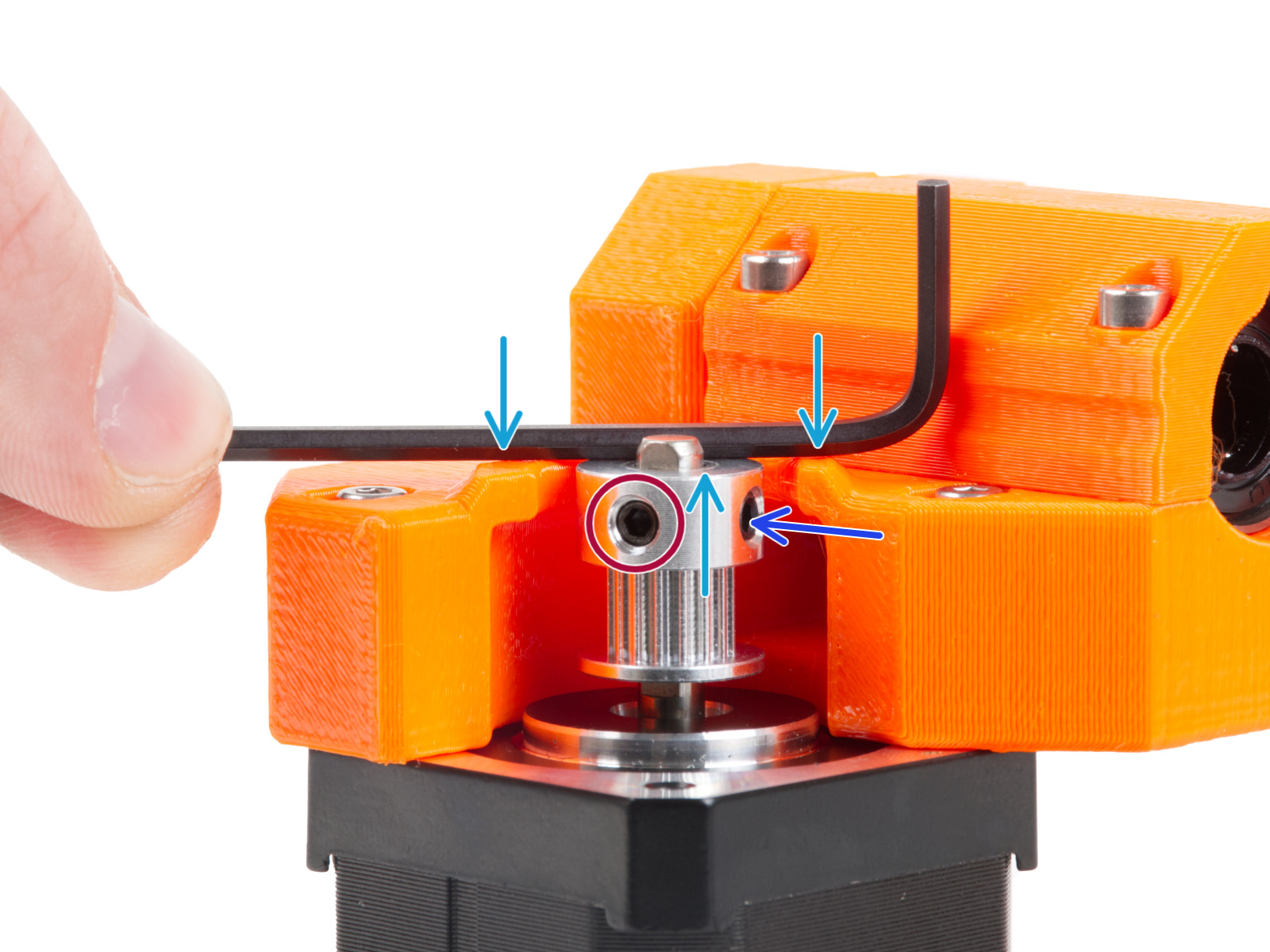
Si una de las poleas del motor se afloja con el paso del tiempo, se desalineará y provocará un movimiento irregular. Las poleas están colocadas de forma diferente en cada uno de los dos motores XY. Cada polea del motor tiene dos tornillos de fijación, uno de los cuales debe alinearse con la parte plana del eje del motor.
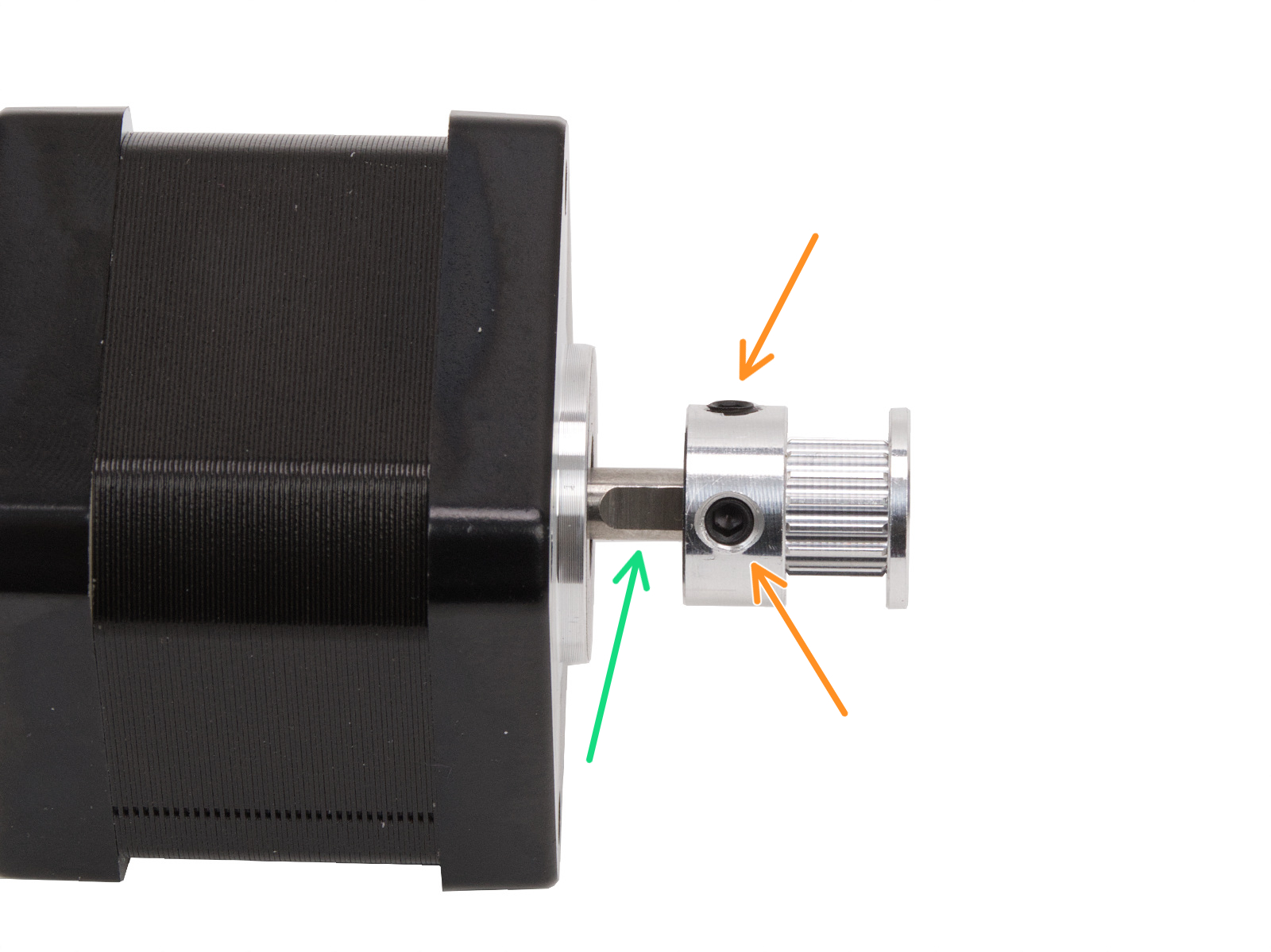
Ten en cuenta que la posición y la orientación de la polea pueden variar según la impresora y sus motores.
Las poleas están colocadas de forma diferente en cada uno de los dos motores X e Y. Si se observa desde la parte delantera de la impresora:
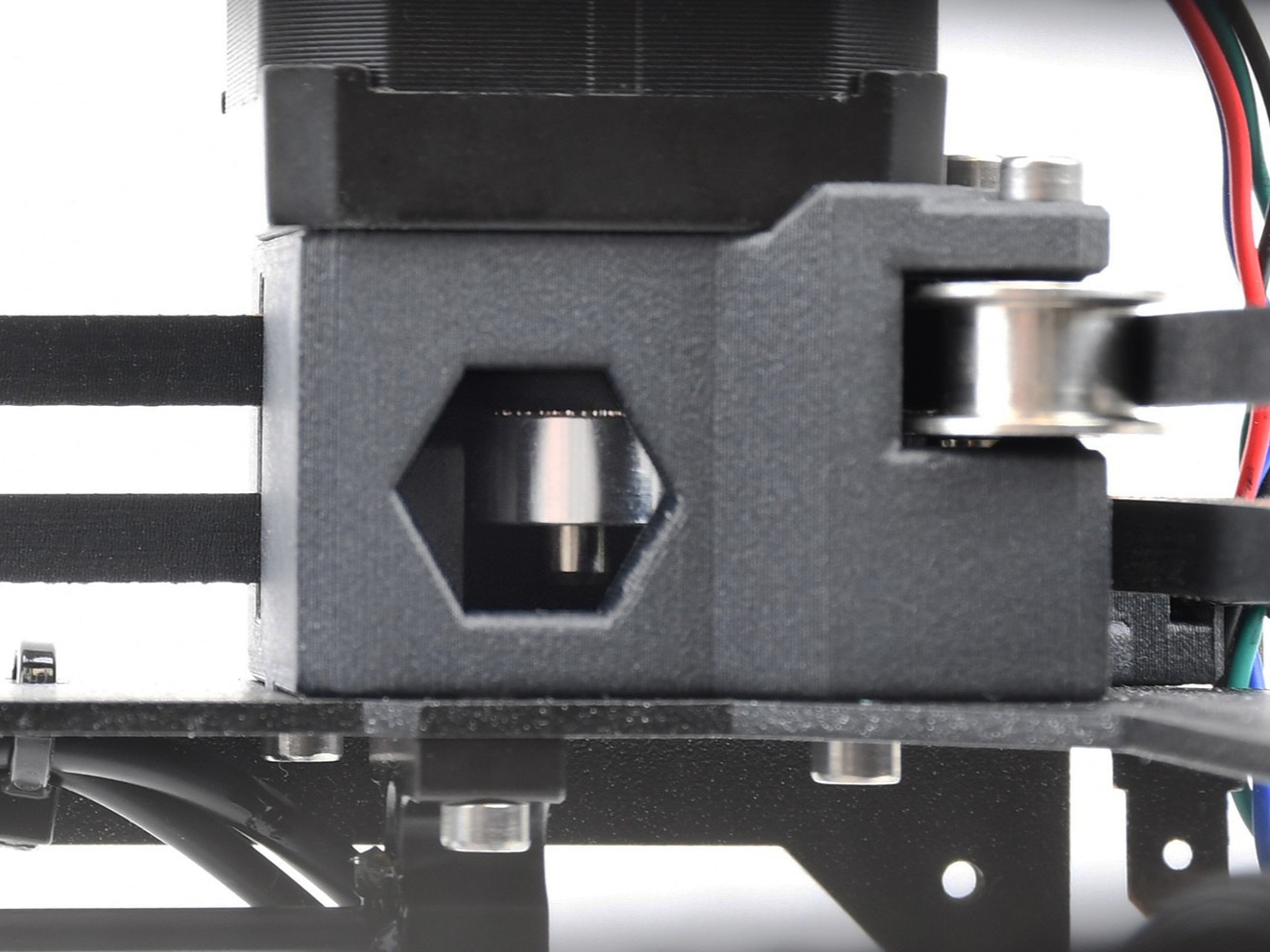 | 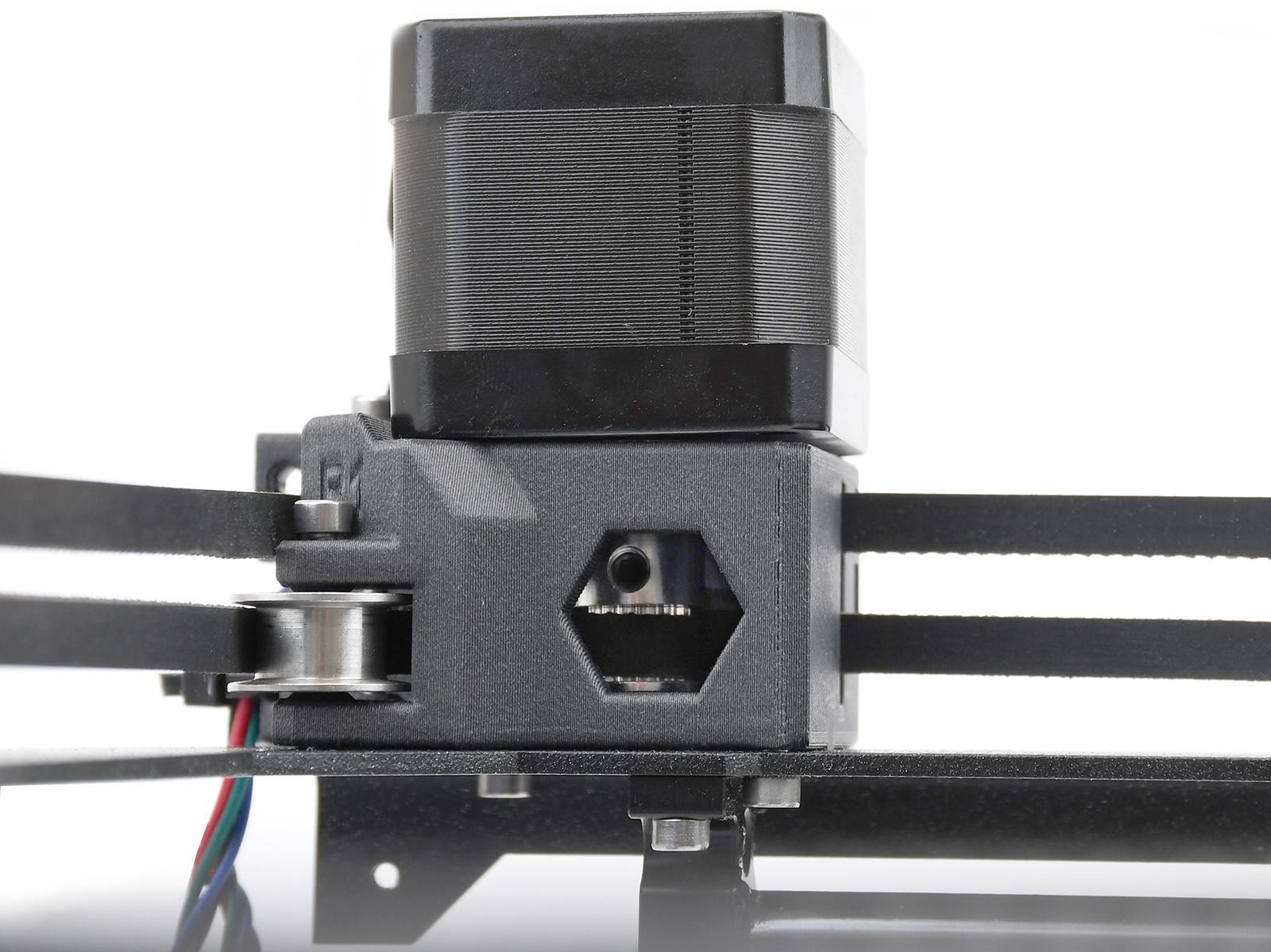 |
Las poleas están colocadas de forma diferente en cada uno de los dos motores XY. Mirando desde la parte delantera de la impresora:
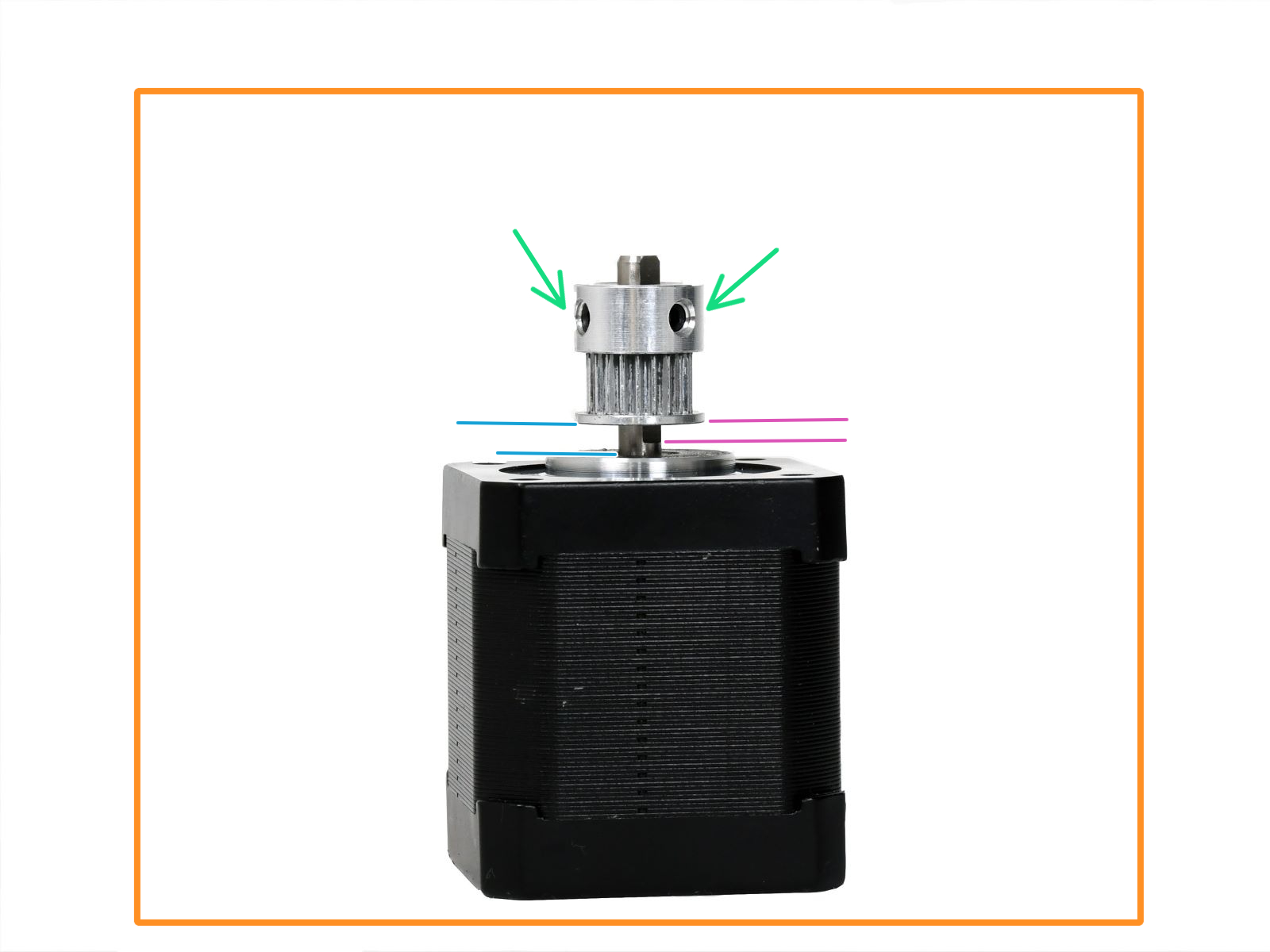 |  |
 | 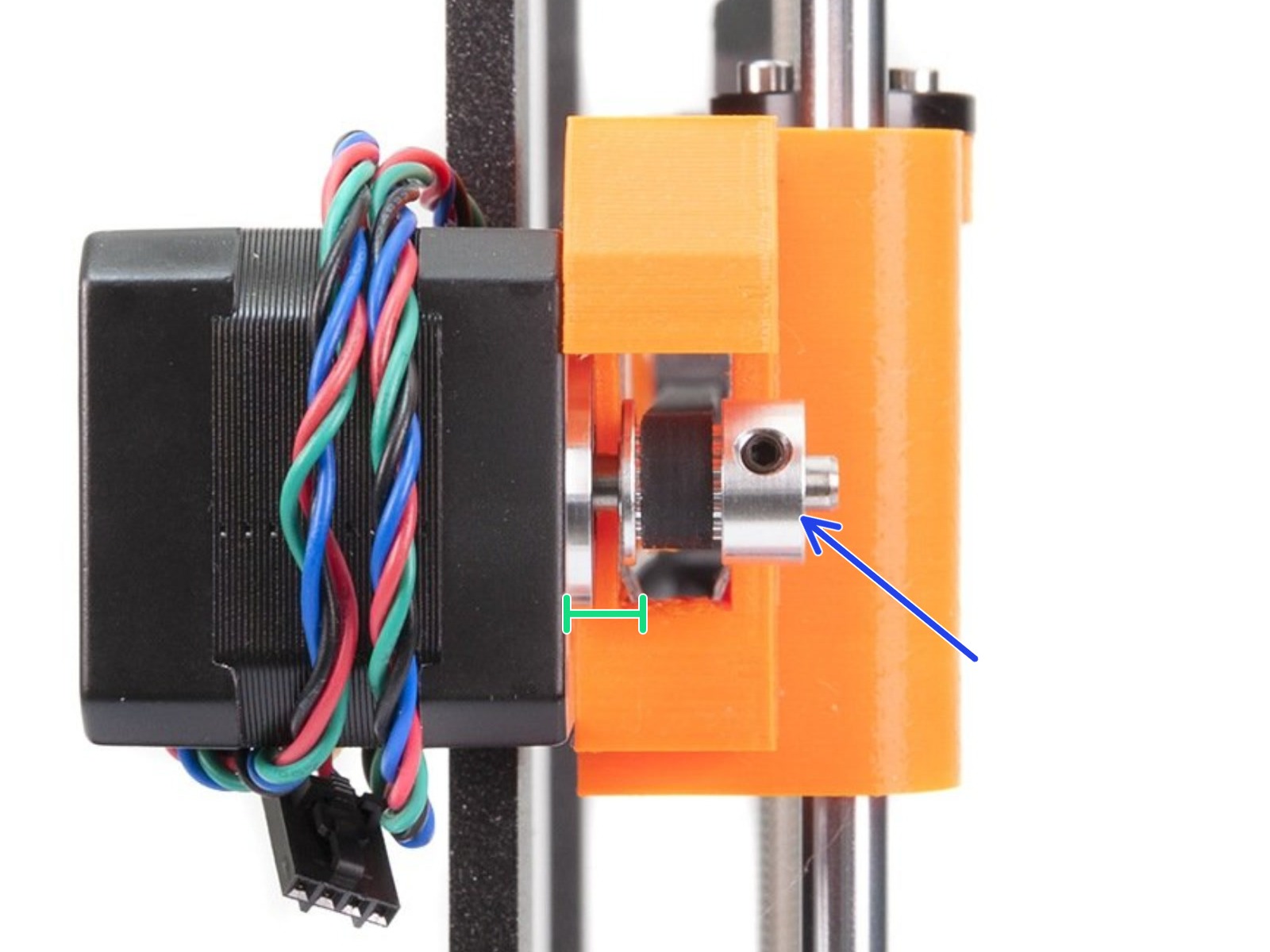 |
| Orientación y la posición correcta de la polea del eje X. | Orientación y la posición correcta de la polea del eje X. |
 |  |
| Orientación y la posición correcta de la polea del eje Y. | Orientación y la posición correcta de la polea del eje Y. |
Consulta las imágenes que aparecen a continuación para comprobar la orientación y la posición de la polea. Asegúrate de que haya un pequeño espacio entre la polea y el motor, de que uno de los tornillos de fijación esté alineado con la parte plana del eje del motor y de que el otro tornillo de fijación también esté razonablemente apretado.
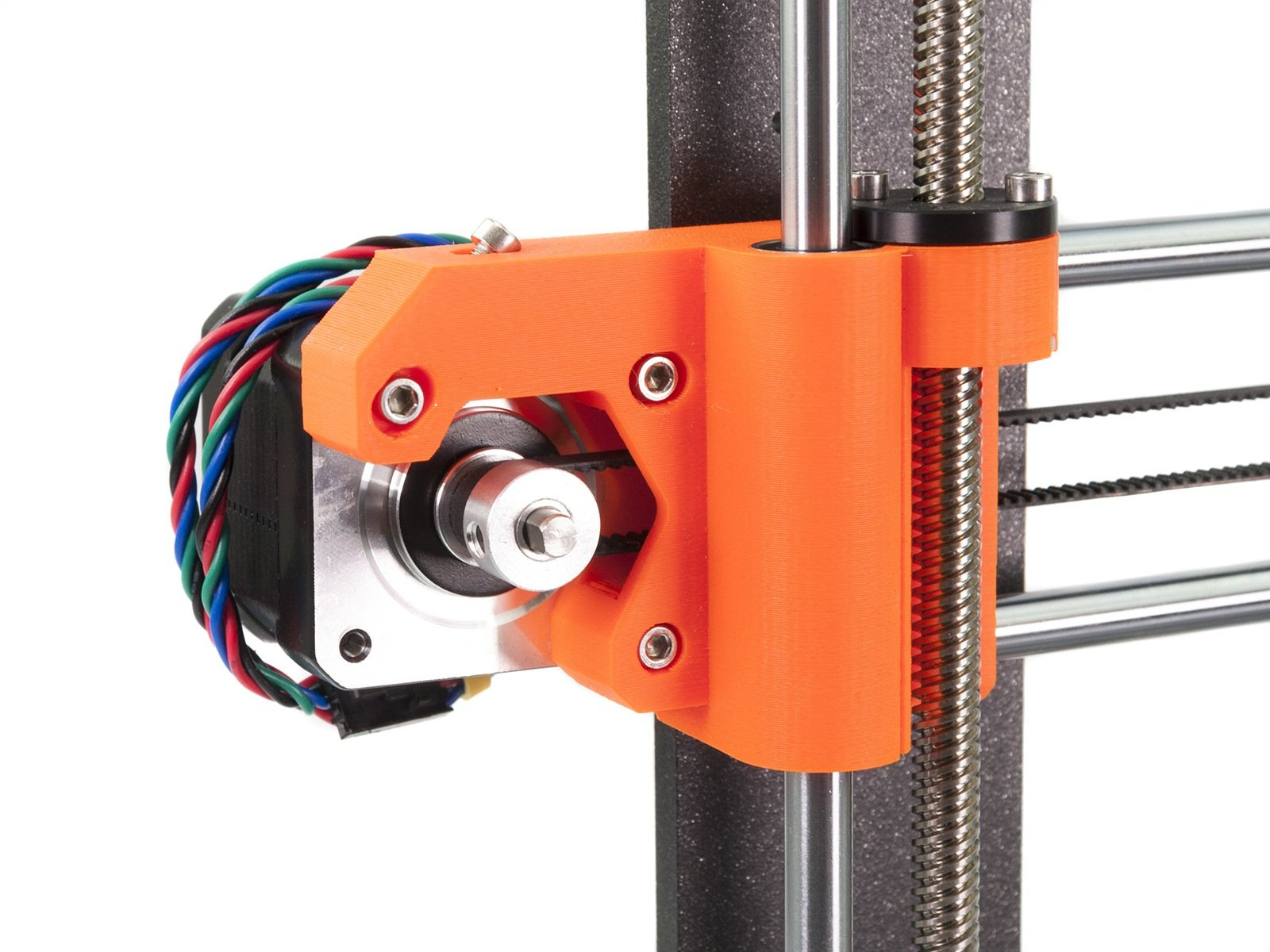 | 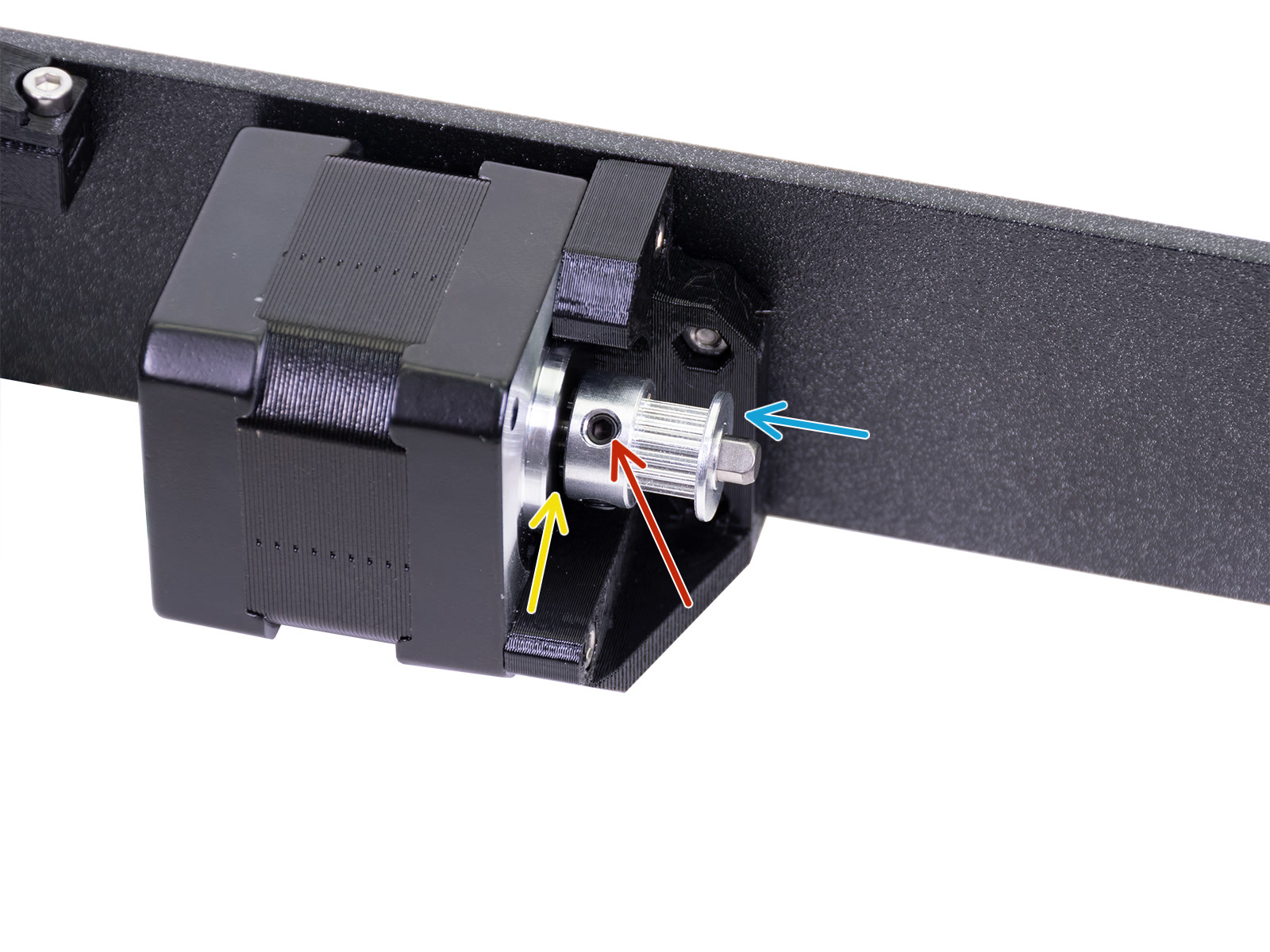 |
| Orientación y la posición correcta de la polea del eje X. | Orientación y la posición correcta de la polea del eje Y. |
Comprueba que la polea del motor del eje Y coincida con la orientación y la posición que se muestran en la imagen siguiente. La polea tiene dos tornillos de fijación, asegúrate de que uno de los dos tornillos de fijación esté alineado con la parte plana del eje del motor. Asegúrate también de que el otro tornillo de fijación esté apretado, sin excederte, y de que haya un pequeño espacio entre la polea y el motor.
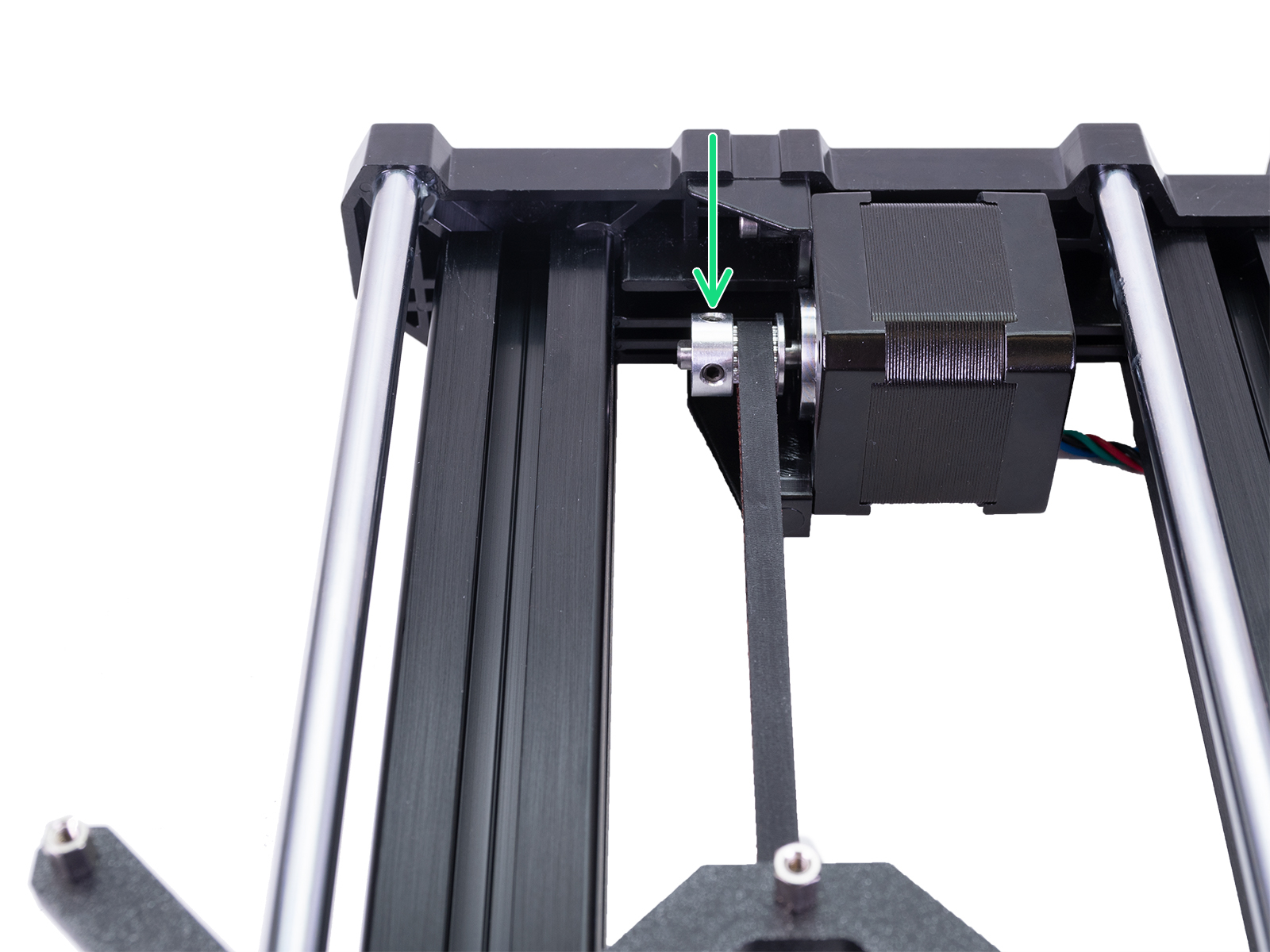
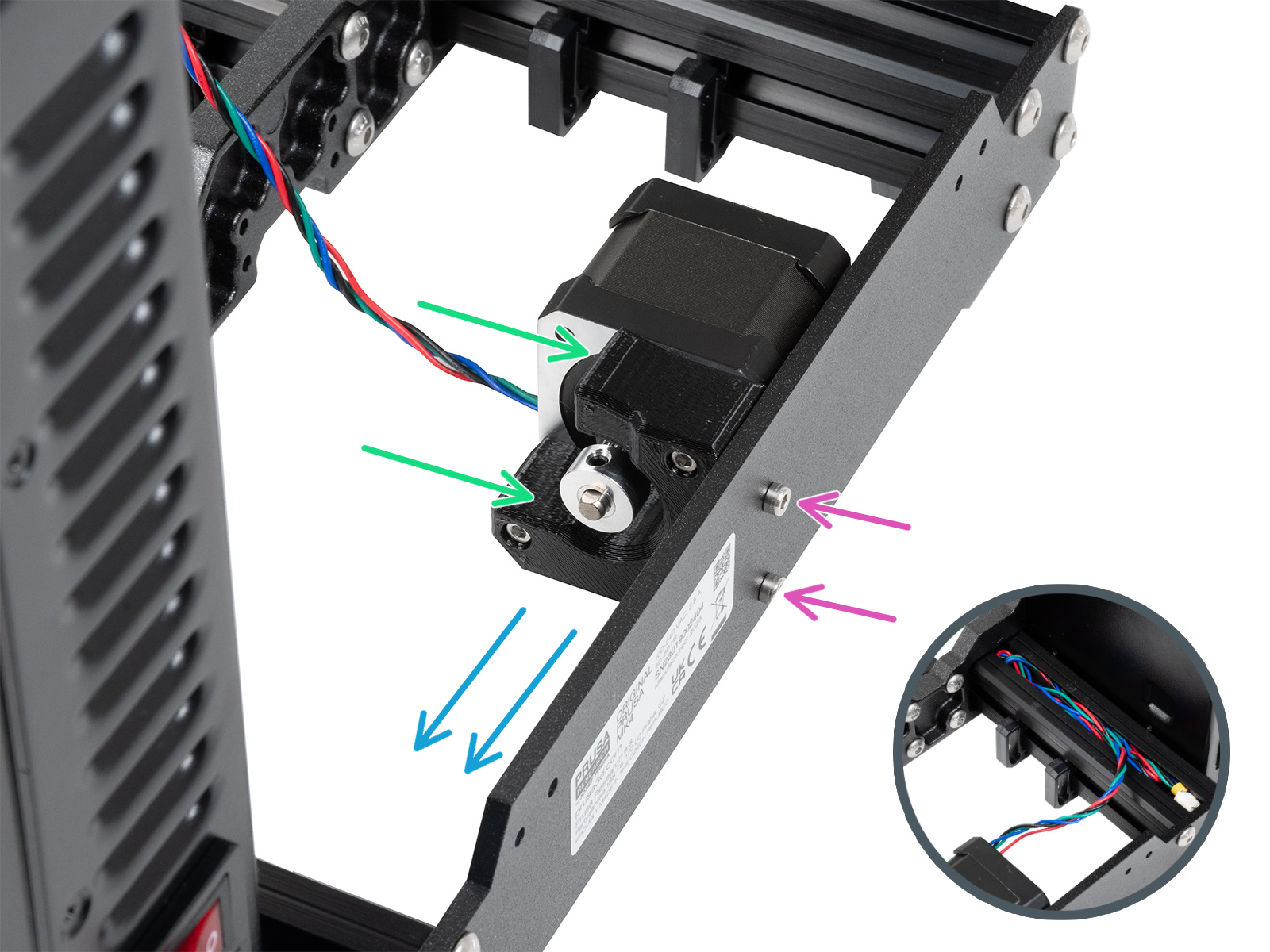
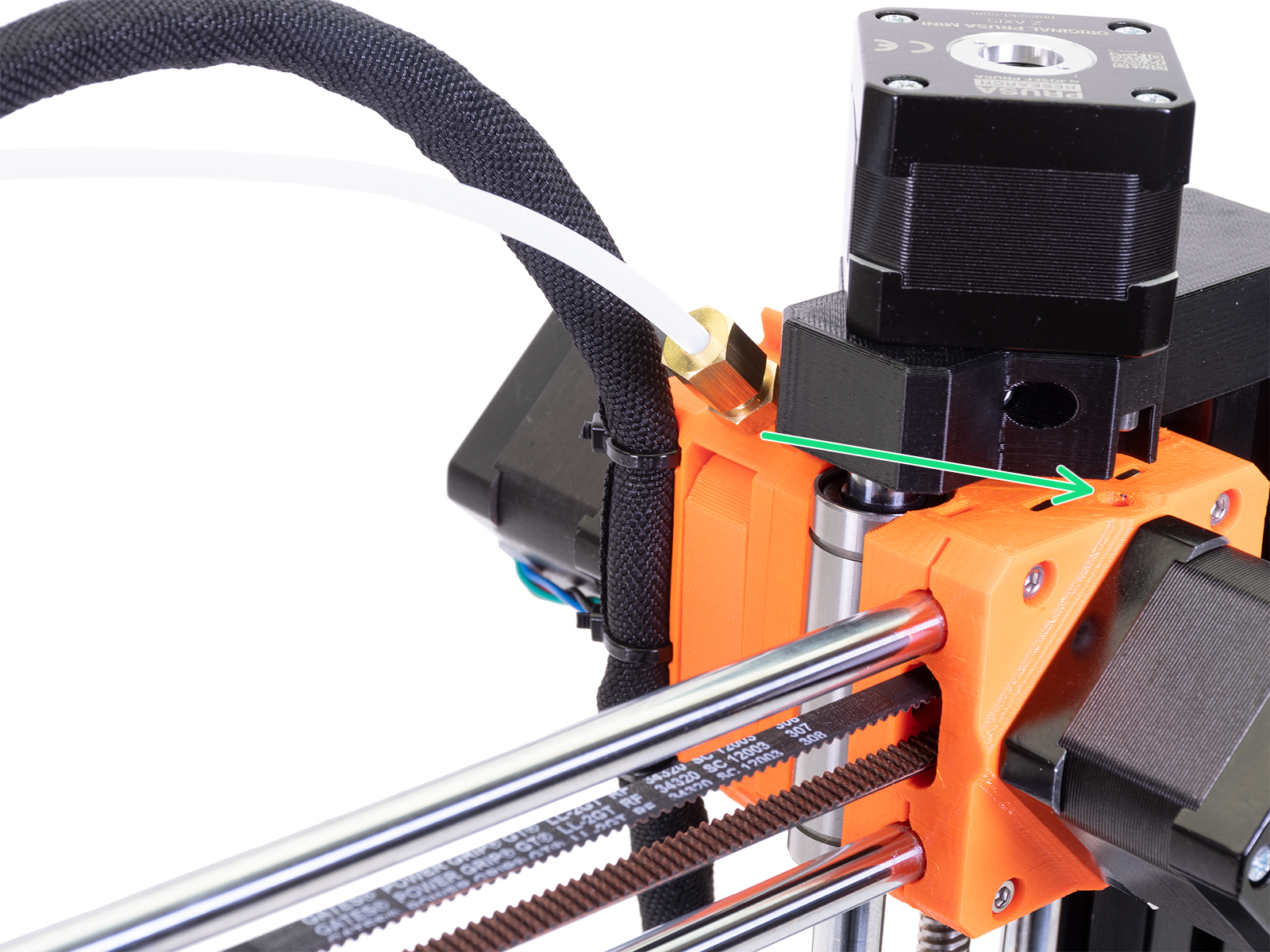
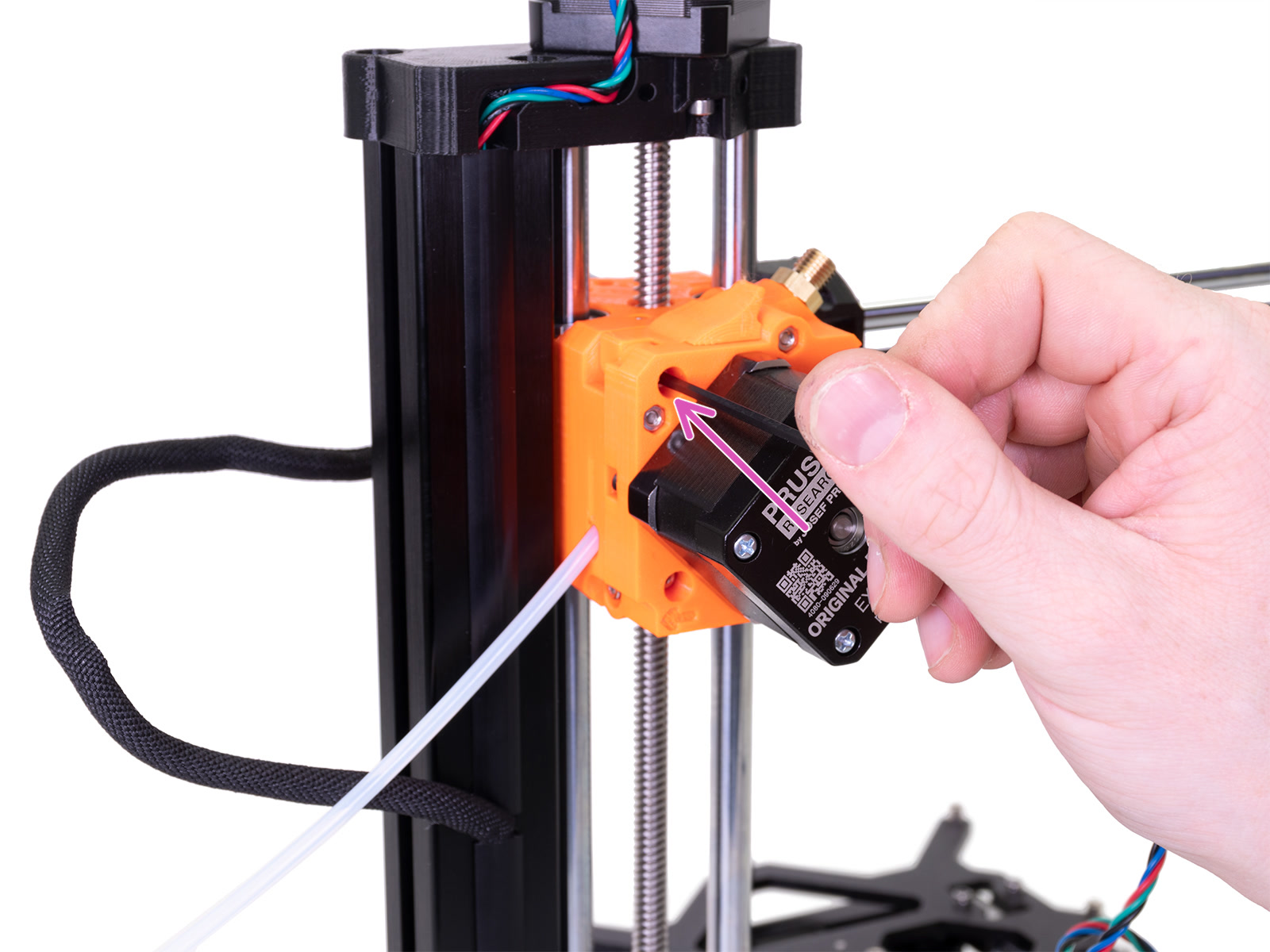
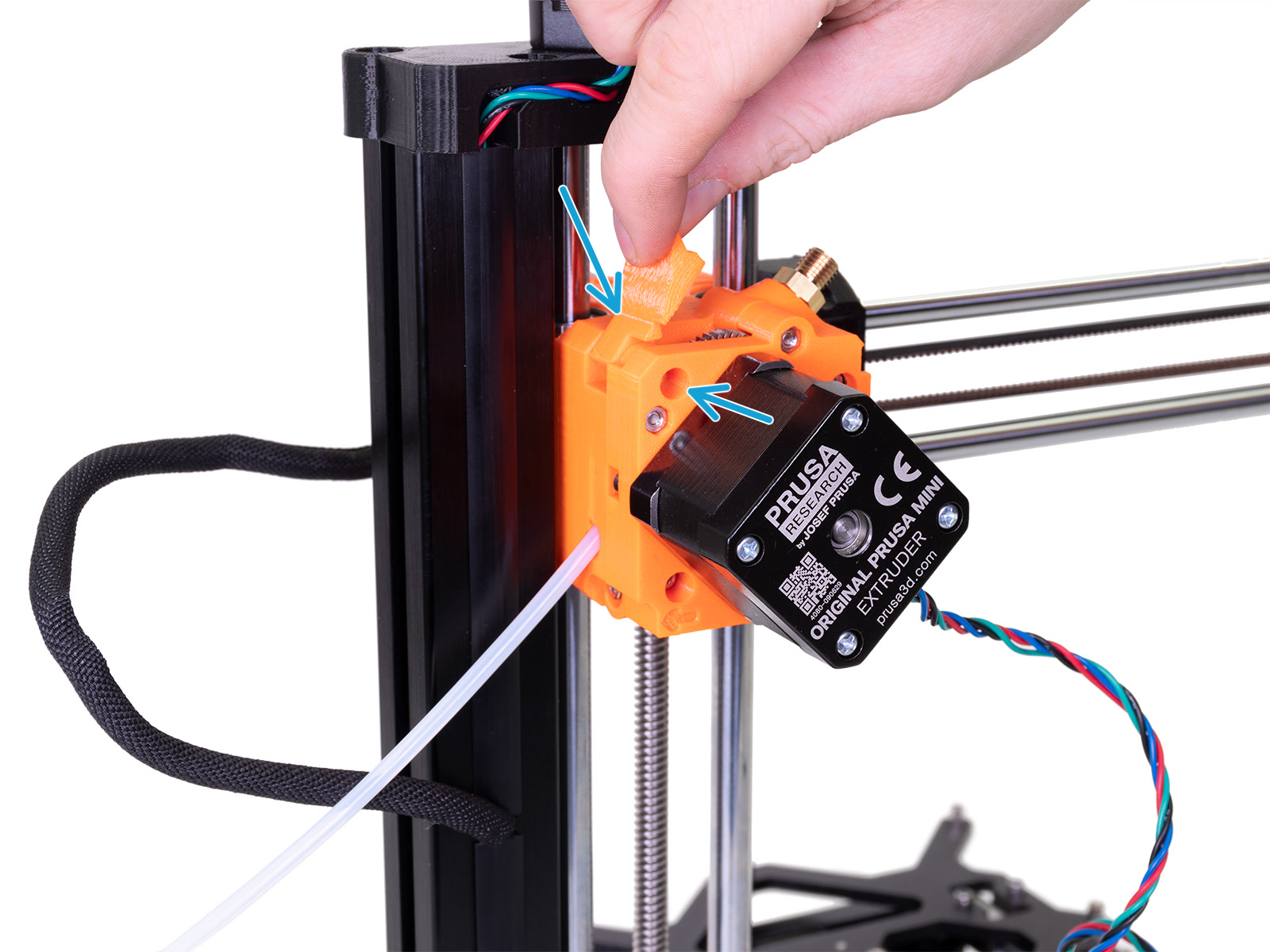
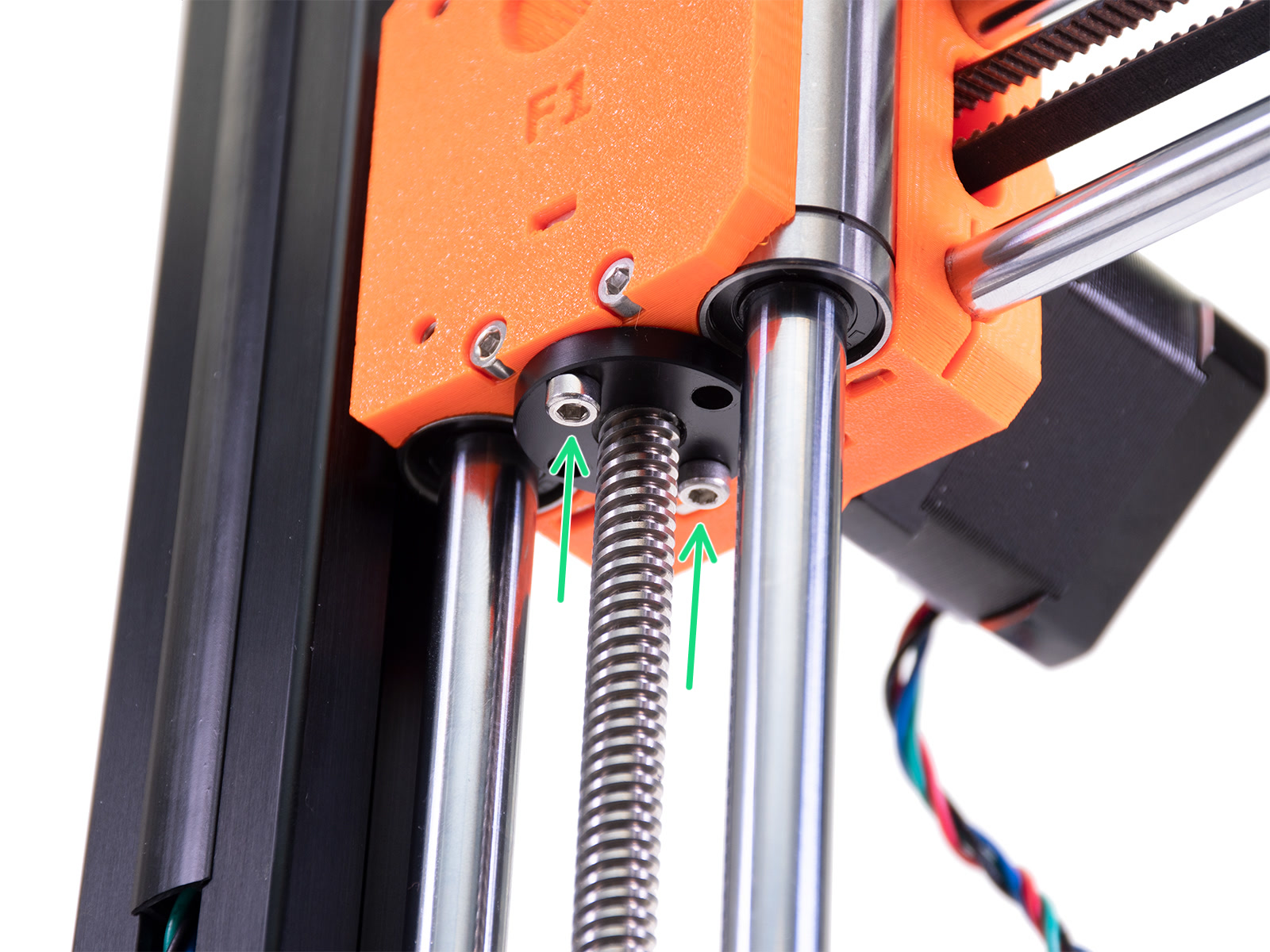
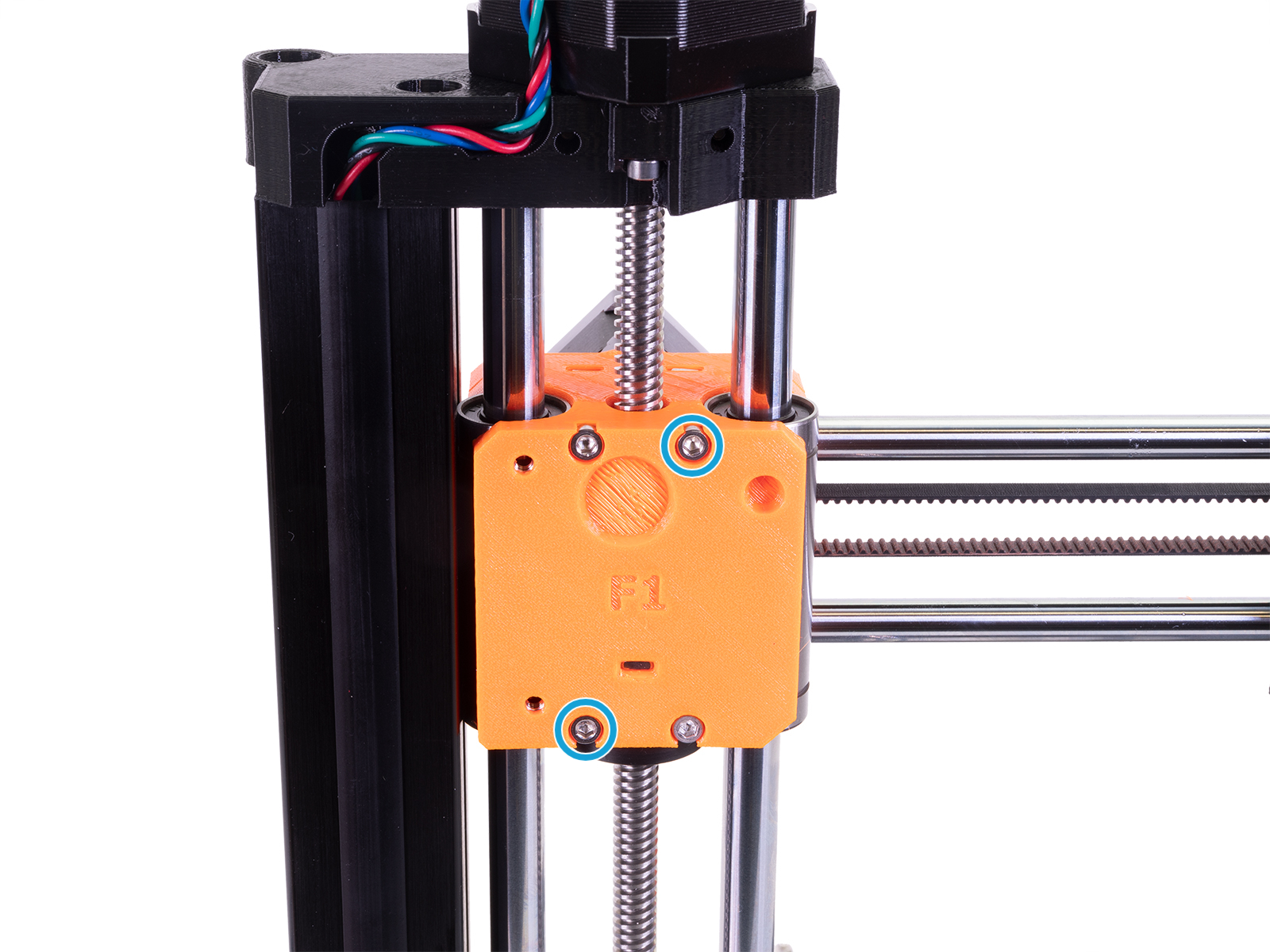
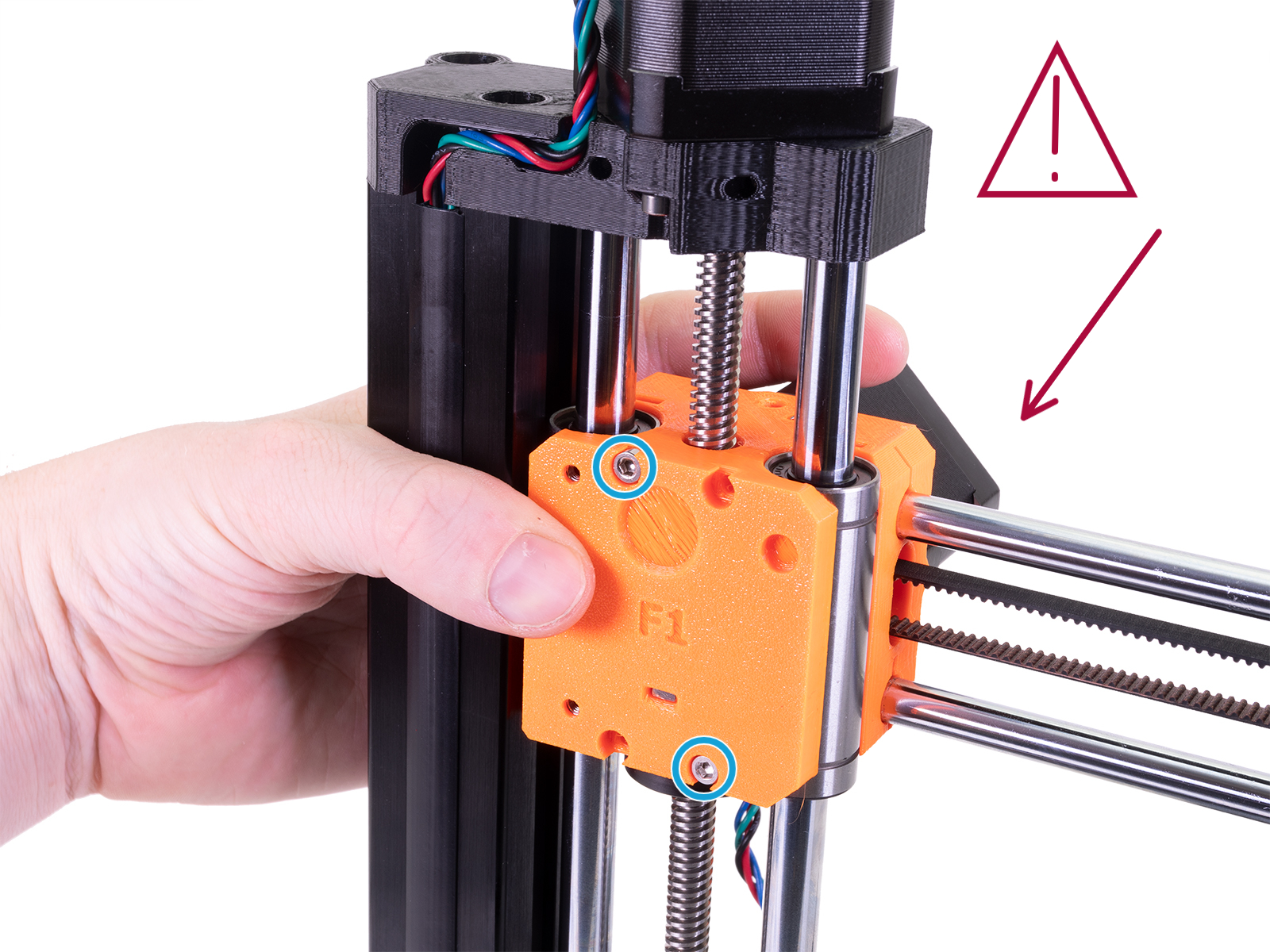
Es posible comprobar si la polea del eje X está bien apretada a través de un orificio de inspección. Sin embargo, en algunos casos, para verificar y restablecer la alineación entre uno de los tornillos de fijación y la parte plana del eje del motor del eje X, puede ser necesario realizar un desmontaje parcial. A continuación se indican los pasos a seguir en caso de que sea necesario dicho desmontaje.
 |  |
 |  |
 |  |
