0 item in your cartitems in your cart
Your cart is empty
My profile
Log in to see orders, saved items
Signed in as
Current lead time estimates for new orders Updated: December 10th, 2025 --> The…
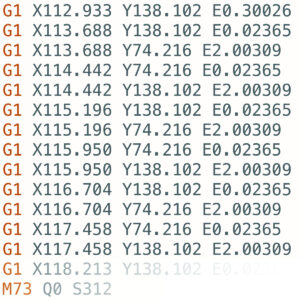
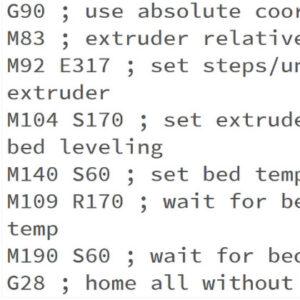
Each Original Prusa printer is shipped with a bundle of sample G-codes. These G-codes are tested and tailored specifically for your printer model and can be used to see the printer's…
This is a list of currently implemented G-Codes in Prusa firmware for i3 series printers. The description is only for Prusa Research-specific G-codes. The rest can be found on…
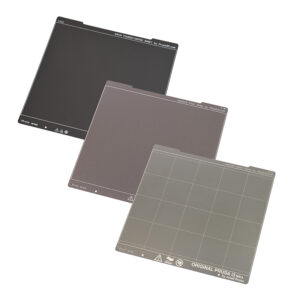
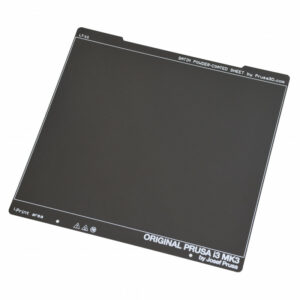
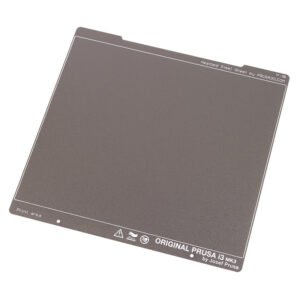
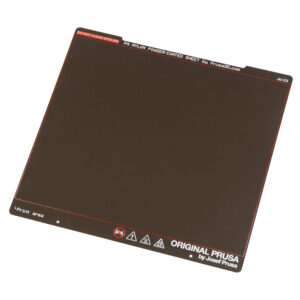
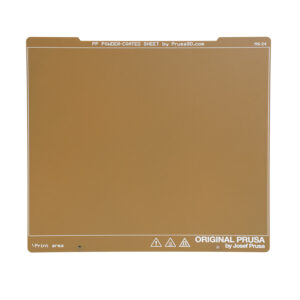
The Original Prusa magnetic heatbed is designed to hold a removable double-sided flexible spring-steel sheet, designed specifically for easy removal of printed objects from the…
If you have any questions about 3D printing in general, about your order, shipping, calibration, or troubleshooting of your printer, don't hesitate to contact us! Printers that…
Starting from firmware 3.12.0, the Original Prusa MK3/S/+ has Thermal model protection. This results in better operation when dealing with thermal errors. How it works During the…
Orders within the EU As of 1 July 2021, updated EU VAT rules for business-to-consumer (B2C) transactions will apply. We, therefore, charge Value Added Tax (VAT), of the Standard…
The Magnetic heatbed enables you to use flexible, removable steel sheets. There are different properties and strengths of each sheet, but they also have different thickness which…
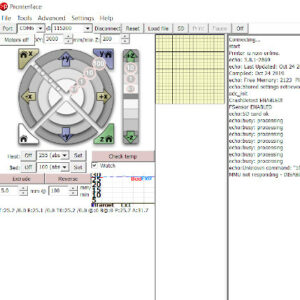
Pronterface is an application where you can monitor and send commands to your printer. It is also possible to use it to start prints over USB, however, performance may vary. Pronterface…
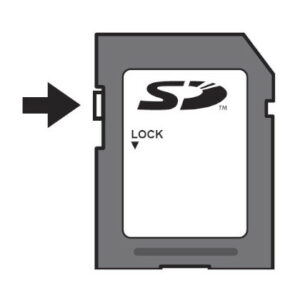
As there are ways of remotely transferring files and starting prints, an SD card or USB flash drive is the most common and reliable way to get your files to your machine. Though…
How do I get the kit or assembled printer owner discount? As stated on our website Prusa3D, if you purchase an assembled MK4S printer, we offer a 10% discount on your upcoming…
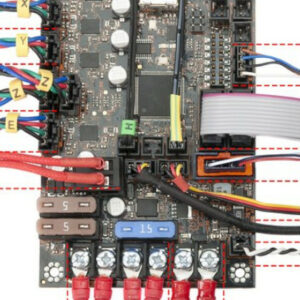
With our Original Prusa i3 MK3, we have introduced a logic board called Einsy RAMBo. It works on 24V and uses Trinamic drivers for motors, allowing for super silent printing and…
Starting from firmware 5.0.0 for the MK4, and firmware 5.1.0 for the MINI/+ and the XL, the printers have the Input Shaper feature. The Prusa CORE One/+, CORE One L/+, and the…
Our e-shop recognizes three types of product availability: In stock - The product is in our local warehouse, and we are ready to ship it as soon as possible. Depending on the product…
The Original Prusa magnetic heatbed is designed to hold a removable, double-sided, flexible print sheet, specifically designed for easy removal of printed objects from the print…
Trinamic drivers on the EINSY board can detect skipped steps and prevent layer shifting caused by a nozzle crash. It works only in the Normal mode (not in the Stealth mode). The…
The Original Prusa magnetic heatbed is designed to hold a removable, double-sided, flexible spring-print sheet, specifically designed for easy removal of printed objects from the…
Prusa printers are well known for being very silent, even in the standard mode. But actually, our printers also offer an option for even quieter operation. In the instructions…
Food-safe 3D printing is not as simple as it might seem. Here we outline some of the challenges. We also recommend you to check out our blog article where we present our research…
The Original Prusa magnetic heatbed is designed to hold a removable, double-sided, flexible spring-steel sheet, specifically designed for easy removal of printed objects from the…
Every Original Prusa printer has a unique serial number assigned to it. This is found on a silver sticker on every machine and is also hardcoded to the main controller board. Serial…
All of our products are covered under warranty. As we are based in Prague, Czech Republic, a European Union member state, European and Czech law apply. Rest assured that our Technical…
The optical filament sensor detects the presence of a filament and also its movement. Make sure you are running the latest firmware since new versions offer a higher-frequency…
One of the best things about getting your very first 3D printer kit is the assembly. Building your first 3D printer may take some time, however, it's the perfect way to get to…
All of our printers come with an instructional Handbook. This is not merely a collection of tips and tricks but is the instruction manual for your machine. They cover everything…
The printer can fully recover from a complete loss of power without the need for batteries or a UPS. A special sensor detects mains voltage, and in case of an interruption, it…
In case you are not happy with a product, or you have changed your mind about it, you are eligible for a return within 60 days after delivery. If you are struggling with the printer,…
The filament sensor equipped on our Nextruder printers detects the presence of a filament and filament run-out. The sensor is a Hall sensor, triggered by a mechanism composed of…
On the Original Prusa XL multi-tool, it is possible to combine different materials within the same print. The following aspects and considerations have to be kept in mind for a…
Every firmware version goes through intense testing to verify that every single feature works as it should. That applies especially to the safety features: for example, if the…
Supports can be hard to remove and leave imperfect surfaces above them. Depending on the shape of the object, there is also the risk of ruining the print in the process. Some geometry…
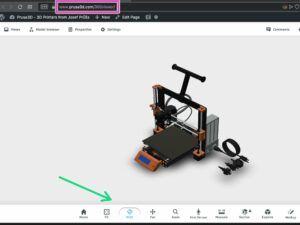
The 360 Viewer is a virtual tool you can use to inspect all parts of the Prusa printers. Rotate, zoom, hide layers, explode the model, and click on individual objects to see their…
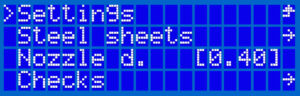
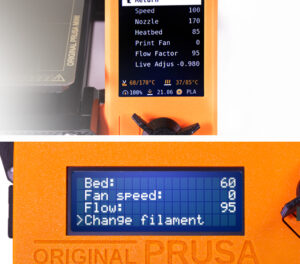
This article describes the menu introduced with firmware 3.13.0 for the Original Prusa i3 MK3S. Controlling the LCD screen is done by a single control element: a rotational knob…
Written as Mini-RAMBo, Mini Rambo, or Rambo mini, the logic board used in the Original Prusa MK2 series is very simple. Please refer to the image below regarding wire colors and…
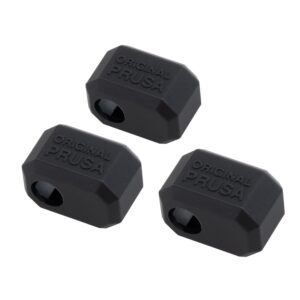
The Original Prusa Printers with the Nextruder are equipped with a Prusa Nozzle. A dedicated silicone sock can be attached to this nozzle. We offer Nextruder silicone socks in…
The GPIO module (General Purpose Input Output) is an additional, optional PCB that can be connected to the Prusa CORE One/+, and to the Original Prusa MK4/S, MK3.9/S, or MK3.5/S. IMPORTANT:…
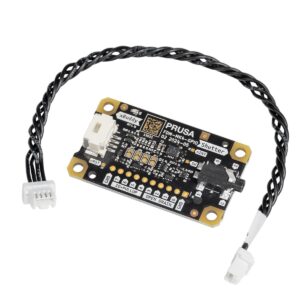
The Input Shaper functionality on the Prusa CORE One/+, and on the Original Prusa MK4/S, MK3.9/S, and MK3.5/S can be calibrated using an optional accelerometer. The accelerometer…
Both Original Prusa SL1 and SL1S SPEED have a growing library of resin print profiles in the PrusaSlicer, which were tested and verified by Prusa Research. However, the printers…
3D printing is an automated additive manufacturing process, where a 3D printer creates a physical model based on digital data (a 3D object). All types of 3D printing are based…
After making an order, it is possible to check the details of the order in your e-shop account. How to find the order details If you have an account, you can open the order details…
This is a list of currently implemented G-Codes in Prusa Buddy firmware for MINI/MINI+/XL/MK4/MK3.5 printers. The description is available only for Prusa Research-specific G-codes…
Do you need to send your printer back for a refund or repair? Unlike when returning a single part or component, when returning an assembled Original Prusa i3 printer (MK2/S, MK2.5/s,…
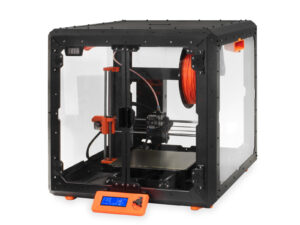
Enclosures help with stabilizing the inner environment and raising ambient temperatures, shields the printer from drafts and blasts of cold air, and reduces the build-up of dust…
With filament sensor detection, the printer will be able to recognize if the connection with the sensor was interrupted (e.g. broken wire or disconnected cable) and take appropriate…
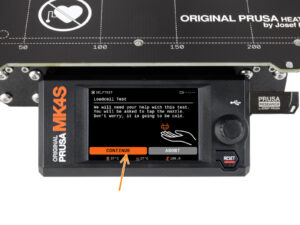
The Original Prusa MK4/S, MK3.9/S, and XL/+ are equipped with a loadcell. This component incorporated in the hotend heatsink detects if the nozzle is close enough to the steel…
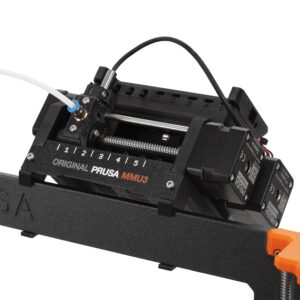
The Original Prusa MMU3 is the direct successor to the Original Prusa MMU2S, featuring substantial hardware updates and new firmware (version 3.0.0 or later). This updated firmware…
If you have spools with just a small amount of filament, and not enough for a print, you do not need to throw them away, or manually change the filament every time it ends. You…
Pictures and videos are an important part of troubleshooting. When one of our agents is trying to help you with an issue, they often rely on pictures and videos to get a better…
Congratulations on your new assembled Original Prusa printer. For any first-time users, we have prepared this article and video for you who are just starting out with a Prusa 3D…
The Original Prusa MK4/S and MK3.9/S are equipped with two proprietary boards: the xBuddy and the LoveBoard. The two are connected by a main cable. When replacing a part in the…
Where your spools are located can make the difference between trouble and smooth operation of the printer. It is also often desirable to reduce the footprint of the printer as…
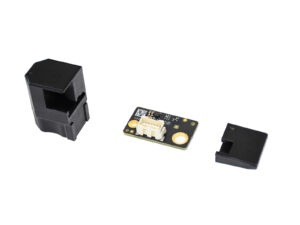
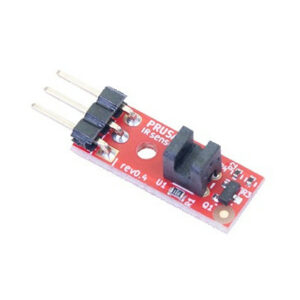
Due to some inconsistencies in readings from the optical filament sensor we created the MK3 to MK3S upgrade to address this. The new IR filament sensor still uses an optical sensor…
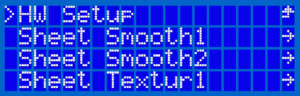
Introduced in the firmware version 3.8.0 on the MK2.5, MK2.5S, MK3, MK3S, and MK3S+ there is a section in the Settings menu, called “HW setup”. It allows you to inform the printer/firmware…
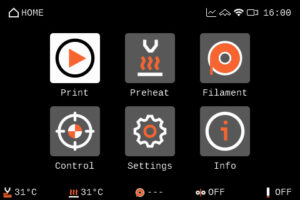
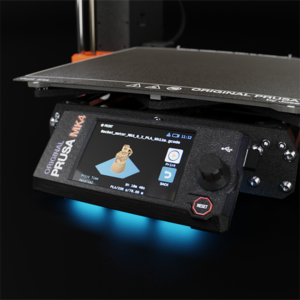
The Original Prusa MK4 and MK3.9 are equipped with a color LCD screen that, among other things, supports G-code thumbnails and QR codes. The footer of the main screen can be edited…
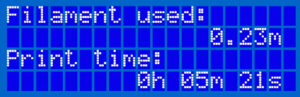
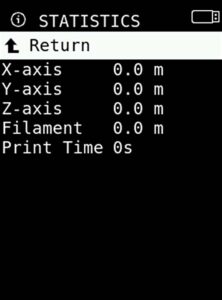
The printer tracks printing statistics. When you access this option during a print, you will see statistics for the running print. If you do so while the printer is idle, you will…
On our e-shop, we accept payments in US Dollars (USD), Euros (EUR), Pounds (GBP), Czech koruna (CZK), Złoty (PLN), and Australian Dollars (AUD). Some payment options may not be…
The components installed on your printer rely on firmware configuration. To facilitate the use of components sourced from third-party vendors, firmware version 3.9.1 introduced…
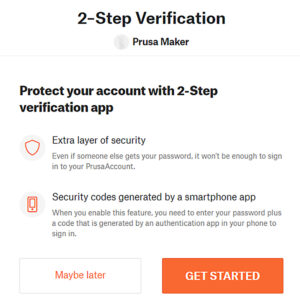
2-Step Verification, also called two-factor authentication (2FA) is a method of increasing your account’s security by combining the login with another device, such as your phone.…
There are two separate shipping destinations (countries) in our e-shop. You must always choose the correct location according to the shipping address, as different tax rules apply. United…
The Original Prusa MINI uses USB flash storage to read G-codes during printing. It can happen that the USB drive is not recognized when inserted and the display will say "No USB",…
If your printer has an issue you cannot solve by troubleshooting remotely with our Customer support, it is possible to send the printer to be repaired by one of our technicians. Factory…
Prusa Account is the way to manage your logins to all Prusa services, like online store, forum, and Printables - online community and library of 3D models). Creating a new Prusa…
The components installed on your printer rely on firmware configuration. To facilitate the installation of components sourced from third-party vendors, we introduced an experimental…
Starting accidentally another action during the print (e.g. XYZ calibration, switching sheet profiles, ...) can cause damage to the printer. This is why during the entire printing…
If the printer is being used in an area where the power grid has issues constantly, you might wish to install a UPS (Uninterruptible Power Supply) with the printer. UPS can compensate…
Do you need to send your printer back for a refund or repair? Unlike when returning a single part, when returning a whole printer it must be packed down properly to prevent any…
3D printers have their own vocabulary and words for describing their various parts and functions. If you are doing maintenance or about to seek help online, it is necessary to…
This article refers to legacy printers MK3/S/+ and MK2.5/S. For more recent models, refer to Blue Screen of Death (BSOD) #31538 (CORE One) #35538 (CORE One L) #36538 (CORE One…
This article describes the menu system BEFORE firmware 3.9.0 for the Original Prusa i3 MK3S. Controlling the LCD screen is done by a single control element: a rotational knob that…
From both individuals and companies in the market for a 3D printer, our customer support receives a lot of questions regarding our printers and what it takes to get started with…
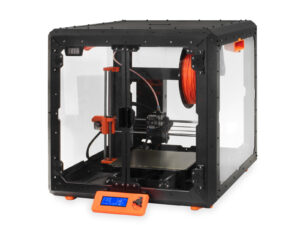
Original Prusa i3 Printers are open-frame printers. While some printers are already enclosed by default, having an enclosed printer can dramatically increase the price of the printer,…
The Original Prusa MINI/MINI+ introduces 4 levels of acoustic signalization - Loud, Once, Silent and Assist. You are able to choose between each level in the printer's menu Settings…
Selected Original Prusa printers are equipped with status LEDs located on the lower edge of the LCD screen. Together there are three physical RGB LEDs. The system will change their…
To Accelerate the repair of our Original Prusa Printers within the USA, we have created a new Repair Center at our subsidiary branch, Printed Solid. Although Printed Solid has…
Prusameters is our unique reward system on Printables.com. You can collect Prusameters for various actions and achievements. Prusameters then can be exchanged for a real spool…
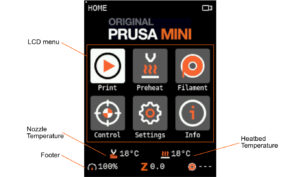
Navigating the LCD menu is done by a single control element: a rotational knob that you press to confirm a selection. In addition, you have a Reset button which will reset the…
In case you experiencing issues with the screen readability, you can try adjusting the contrast on the LCD-module. On the back of the LCD-module, you will find a small potentiometer…
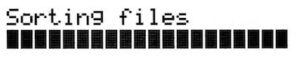
The order of the files on the SD card can be changed. Change the sorting method in the LCD Menu -> Settings -> Sort: [name/date/no sorting]. Folders are always shown on the top…
After the order has been made, you can find it in your account's Orders. Please note that this is only for registered accounts. If you have made the order as a guest, you can ask…
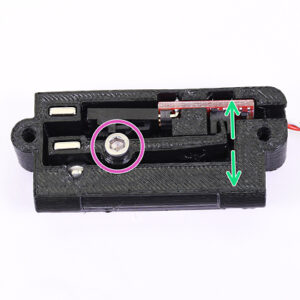
An optional accessory for the Original Prusa MINI is its filament sensor. It uses a simple sensor mechanism to detect whether a strand of filament is inserted or not. The mechanical…
Before you start the calibration process, it is advised to connect the printer to the internet, so that it can download updated firmware files (if they are available). There are…
Any cured bit of resin left in the tank after a print can cause failed prints (holes, missing geometry) and even damage to the print display. Firmware version 1.7.0 introduces…
Starting firmware version 3.9.0, for the Original Prusa MK3S manufactured after June 2019, it is possible to adjust the brightness of the screen directly from the LCD menu and…
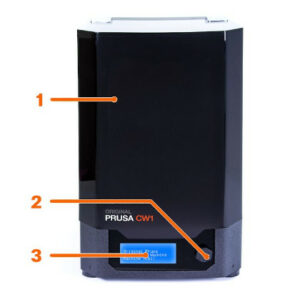
The Cure/Wash Station (CW1 or CW1S) is used to wash, dry, and cure your resin prints, all in one compact package. While your IPA tank is present, the CW1/S will automatically detect…
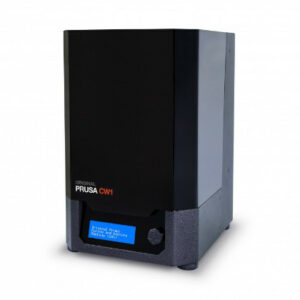
The Original Prusa Curing and Washing Machine (CW1) is a 3-in-1 device designed for quick and easy post-processing of objects printed from liquid resins. Objects printed from…
Pouring resin into the tank Before you start printing, always make sure the FEP film on the bottom is clear (transparent), clean, and has no holes, dents, or deep scratches. Check…
Do you need to send your Multi Material upgrade back for a refund or repair? Unlike in the case of a return shipment of a single part, when returning an assembled Multi-material…
When returning an assembled Original Prusa SL1 printer, we would like you to secure it in a proper way, to prevent any damage during the transport. Before sending any product back…
Connect the external power supply to the CW1 and plug it into the power source. To disconnect the cable, push the connector’s cover away from the CW1 to unlock the connector, then…
This guide will show the easiest way to set up and print supports with different materials for the Original Prusa XL/+. Before starting, make sure you have the two or five tool-heads…
The Knowledge Base is aimed at helping users assemble the printer, service it, and, if needed, get instructions for troubleshooting. To expand your knowledge even further, we offer…
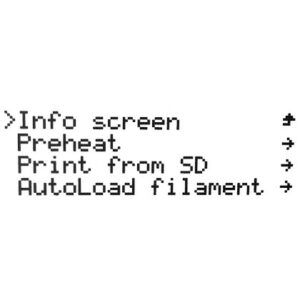
In the Original Prusa MINI and MINI+ menu, you can see the option Info. Here you will find different information on your printer. Within the Info menu, you have the following selection: Network…
After you wash the object in isopropyl alcohol, we recommend rinsing it briefly under running water to remove the remnants of isopropyl alcohol. Then, dry it with a paper towel.…
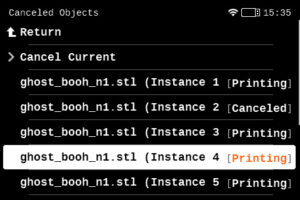
When printing multiple objects within the same print, it is possible that one or more objects might not have an optimal finish or get loose from the plate, while at the same time,…
The Prusa CORE One L, Prusa CORE One, Original Prusa MK4S, and Original Prusa MK3.9S include an Ethernet port (RJ45) and a WiFi module. Connecting to Ethernet Connect a LAN cable…
In alternative to requesting a quotation, it is possible to generate an order, and its proforma invoice, through our e-shop. Creating a new order Navigate to our e-shop. The…
At the bottom of the LCD menu on the Original Prusa MK2.5/S and MK3/S/+, you will find information on your specific machine's hardware, and firmware as well as real-time sensor…
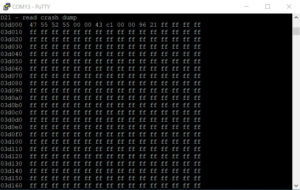
The memory dump is not used for troubleshooting normal printer errors! Please only supply the Memory dump if requested. Starting from firmware version 3.10.1, the Original Prusa…
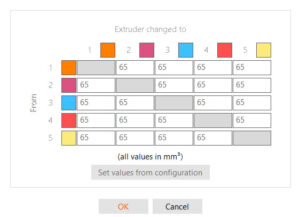
On the Original Prusa XL, when slicing for a Multi-Tool object, the resulting G-code carries information on how individual materials and extruders are assigned, along with the…
When will I receive an invoice? For orders with the wire transfer payment method, our system generates a proforma invoice within a few minutes of order creation. For all orders…
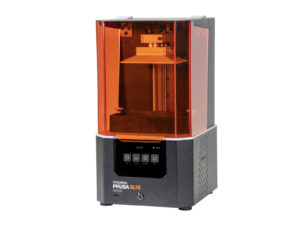
With a brand new high-resolution monochrome LCD, larger print platform, and all cumulative updates from the entire lifespan of the SL1, the new SL1S SPEED is a lightning-fast machine…
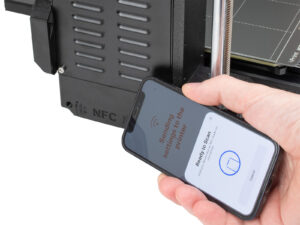
The Prusa CORE One, and the Original Prusa MK4S/MK3.9S are equipped with a Near Field Communication antenna, abbreviated NFC. This allows you to quickly write data into the NFC…
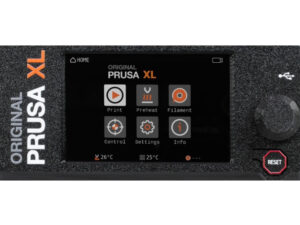
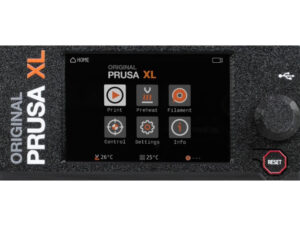
The Original Prusa XL/+ is equipped with a color LCD screen that, among other things, supports G-code thumbnails and QR codes. For the versions of the XL printer with a single…
This article describes connectors on the Original Prusa MK4, which can be used to connect your own or any 3rd party accessory. Warning: Keep in mind the maximum allowable electric…
Both the Original Prusa MINI+ and the SL1 offers a user-friendly feature where the printer automatically displays the project ready for immediate print if: The USB flash drive…
The Original Prusa SL1/SL1S Speed comes with a touchscreen that can be used to navigate the printer menu. Touch each option to select them, and use the Back option on the top left…
This guide will show you how to use your own model to generate a resin Calibration-object. We recommend this approach only to experienced users. The pre-made Resin calibration…
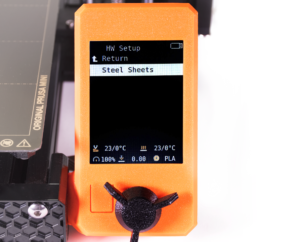
Introduced in version 4.3.0 for the MINI and MINI+, there is a section in the Settings-menu, called “HW setup”. It allows you to inform the printer/firmware of hardware changes…
If your printer has the xLCD, you can navigate it by using the touchscreen. Note that some functions will still need the knob, such as setting the target temperature manually or…
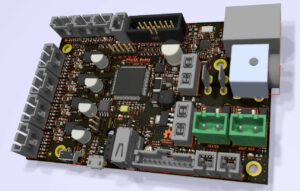
The Original Prusa MINI and MINI+ are equipped with a mainboard called the Buddy board. It may be necessary to check the version of your board if Customer support asks for it during…
Starting from firmware 3.0.0, the Original Prusa Multi-material upgrade (MMU) has a set of runtime variables called registers. You can use these to read or write values into the…
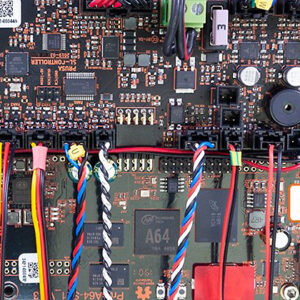
With the technology used in MSLA 3D printing, the Original Prusa SL1 has a different mainboard arrangement compared to our FFF printers. It uses two boards instead of one: PrusA64…
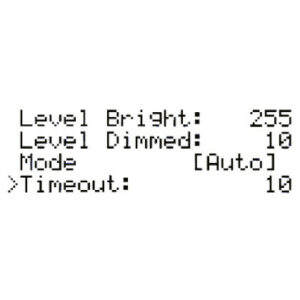
Starting from firmware 1.5.0, you are able to manually set the backlight intensity in the SL1. You can also configure a screensaver timer of how long the screen should be on. You…
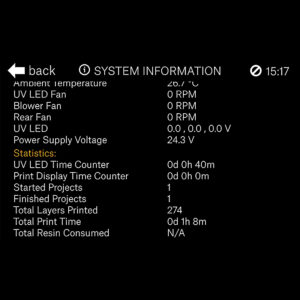
The printer has available all information on your specific machine, like temperatures, RPMs of fans, and voltages. Additionally, you can view your printer's statistics which cover…
On printers with a graphic display, like the Original Prusa MK4/S, MK3.9/S, MK3.5/S, Original Prusa MINI/+, and Original Prusa XL/+, it is possible to see a thumbnail of your print…
Starting from firmware 1.5.0, the Original Prusa SL1 will show top bar notifications. If you see an envelope on the top right of the screen near the time. To see the notifications…
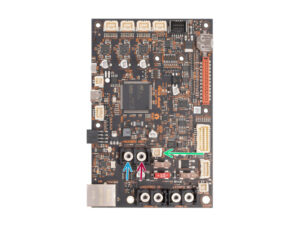
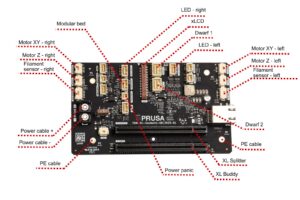
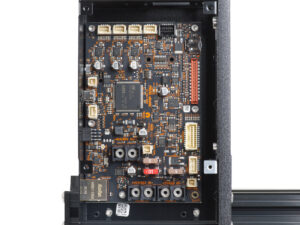
The Original Prusa XL/+ is equipped with multiple electronic boards. The number of boards depends on the number of tools. The slots on the electronic boards have a label near…
The Original Prusa MK4 is equipped with a break-out board for the Nextruder, the LoveBoard. The LoveBoard has four status LEDs. These status LEDs are present only on some of the…
This is the current list of supplemental statements valid for users of Prusa websites: Supplemental Statement for California Consumers valid from 1st March 2023
The Original Prusa XL/+ is equipped with a color LCD screen that, among other things, supports G-code thumbnails and QR codes. For the versions of the XL printer with multiple…
Starting accidentally another action during the print (e.g. XYZ calibration, switching sheet profiles) can cause damage to the printer. This is why during the entire printing phase…
Some materials are hygroscopic, meaning it is necessary to dry them before printing and keep them in an environment with as low humidity as possible during printing. We offer the…
Original Prusa printers offer a range of upgrade options to keep your machine up-to-date with the latest features. This article overviews available upgrades for various models,…
On the Original Prusa MK4S and MK3.9S, it is possible to use a Prusa CHT nozzle or a Prusa Nozzle. These printers are also compatible with the Original Prusa MMU3. There are a…
The main board on the Original Prusa MK4 and MK3.9 is the xBuddy board. The xBuddy board has ten status LEDs. Error lights MMU overcurrent The MMU overcurrent light indicates…
Prusa Discount Codes, Promo Codes, Voucher Codes, and similar terms might show up in your search engine results. Exercise caution when visiting websites promising these discounts.…
The Original Prusa XL/+ multi-tool, the Original Prusa MMU3, and CORE One/+ equipped with INDX are suitable for multi-filament printing. When slicing for a multi-filament object,…
If your printer has an issue you cannot solve by troubleshooting remotely with our Customer support, it is possible to send the printer for repair. If the printer's warranty covers…
The default print head on the Prusa Pro HT90 is a high-flow print head. This allows a high volumetric rate which will let you print faster. The print head also has a fan control…
The Prusa Pro HT90 comes with a high-temperature print head that can be installed in the printer. The default on the printer is the High-flow print head. The print head can reach…
Prusa Academy is our learning platform and offers online courses targeted specifically on 3D printing topics. Learn more about Prusa Academy on its dedicated page. It is possible…
Your Original Prusa Printer has a main electronics board with the printer firmware. In their factory state, our printers only accept official firmware. To flash any unofficial…
Each XL toolhead is equipped with a Dwarf board, and a status LED with several possible colors. Below is an explanation of the meaning of each color. Blue The Dwarf is in a "bootloader",…
Ordering an Original Prusa product is done by creating an order on our e-shop. During this procedure, a payment method is chosen. Among others, credit card payment is available. By…
Buddy3D is a Prusa Research brand that collaborates with external suppliers to produce high-quality third-party accessories and materials. The goal is to expand the offering of…
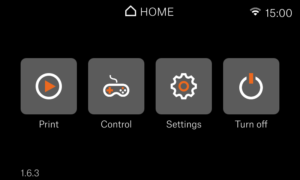
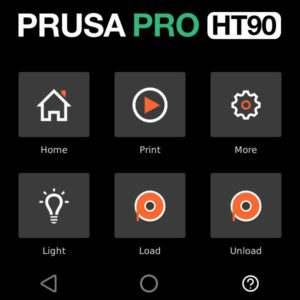
The Prusa Pro HT90 is operated via a touchscreen. The screen is used to operate the printer and shows images of the processes to be performed on it. Menu when idle Home Print Set…
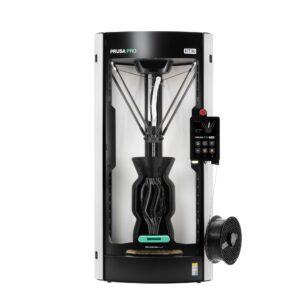
The Prusa Pro HT90 features many elements, including among others an actively heated chamber, a high-performance heatbed, and a choice of high-flow or high-temperature hotend. The…
The Original Prusa MK3.5S is equipped with a color LCD screen that, among other things, supports G-code thumbnails and QR codes. The footer of the main screen can be edited to…
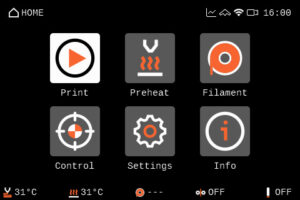
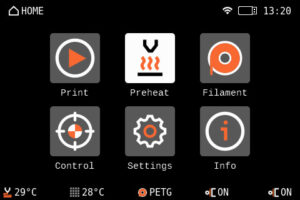
The Prusa CORE One/+ is equipped with a color LCD screen that, among other things, supports G-code thumbnails and QR codes. The footer of the main screen can be edited to show…
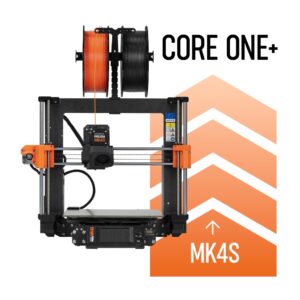
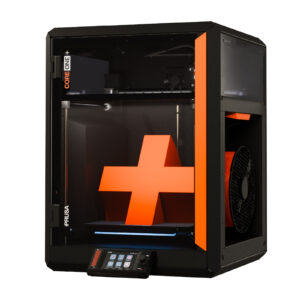
It is possible to upgrade to the Prusa CORE One from MK4S, MK4, MK3.9S, MK3.9, and MK3S+ printers. However, each model has a different method, and some models must be upgraded…
Starting firmware 1.8.0, the Original Prusa SL1 and SL1S SPEED have customizable profile parameters. This gives users the ability to customize and fine-tune the individual parameters…
Our printers and products have certifications, such as a Declaration of Conformity. All certifications can be found at the bottom of each printer product page, on our eshop. Certifications…
We are proud to have customers all over the world. To make shopping with us outside of the EU (where we're based) as smooth and efficient as possible, we work with Global-e, our…
OpenPrintTag The OpenPrintTag standard is an open-source initiative by Prusa Research, creating a single smart spool standard that works across all brands and ecosystems. It is…
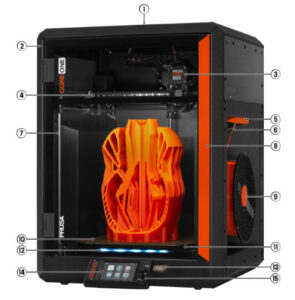
Ventilation grille (on the top): to maintain airflow when printing with materials such as PLA or PETG. Frame: an exoskeleton design for maximum strength and robustness. Nextruder:…
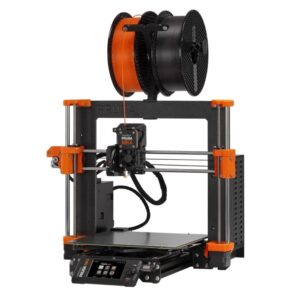
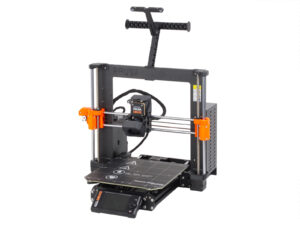
Filament spool: The Original Prusa MK4S is compatible with 1.75mm filaments. Frame. Z-Axis: vertical, consists of threaded and smooth rods, moves the Nextruder up and down. Nextruder:…
The Prusa USS Drybox is designed to keep filament in a low-humidity environment during printing. It is designed to slow moisture absorption by the inserted filament spool, using…
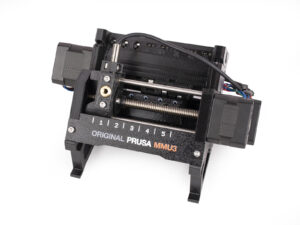
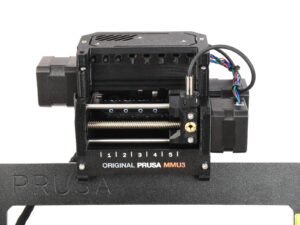
Idler motor - rotates the idler. Idler - contains five pulleys. By rotating the idler, a single pulley gets in direct contact with the filament and applies pressure on it. Then,…
Extruder (Nextruder) Filament sensor / Filament insertion point (on the side) Spoolholder (with a spool installed) Print sheet LCD Control Knob and Reset Button USB port Heatbed…
This page provides access to 3D Printing Handbooks in languages that are not currently supported as standard website localizations.It serves as a central reference for users who…
To make a successful multi-color print with the MMU, the filaments must all be loaded correctly. There are multiple options in the printer menu in Filament. Preload options In…
Prusa Connect is our cloud service. It allows control of entire print farms, while tracking each printer separately and providing valuable production statistics. EasyPrint is…
The HT Hotend is a high-temperature hotend. Its main benefit is enabling nozzle temperatures up to 400°C and offering broader material compatibility than the standard hotend configuration. Note…
What happened? Connect is showing the warning dialog: "The filament is not compatible with the current printer hardware setup." Error name: Incompatible filament Error code: #13854…
Our PrusaApp supports reading and writing NFC tag data for OpenPrintTag spools. How to read data from filament Navigate to the app's menu. Tap on Materials. If the spool is…
This article will help you determine the correct assembly manual needed to upgrade your current printer to the latest Prusa CORE One+ (Gen 2) specification or previous CORE One+…
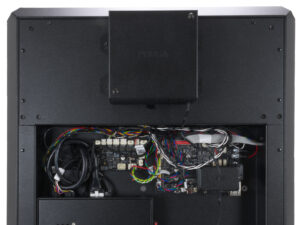
The Prusa CORE One is equipped with multiple electronic boards. The slots on the electronic boards have a label near them indicating the component to connect to each slot. xBuddy,…
The Prusa CORE One L/+ has multiple electronic boards. The slots on the electronic boards have a label near them indicating the component to connect to each slot. xBuddy, xBuddy…
The Prusa CORE One L is equipped with a color LCD screen that, among other things, supports G-code thumbnails and QR codes. The footer of the main screen can be edited to show…
In early 2026, we discontinued the sale of MK4S to Prusa CORE One+ Conversion kit, compatible with the old version of xLCD. This affects exclusively conversion kits for printers…
Thank you for purchasing the Prusa CORE One kit. Your package includes parts for both CORE One and CORE One+. If you want to assemble the CORE One+, this article will guide you…
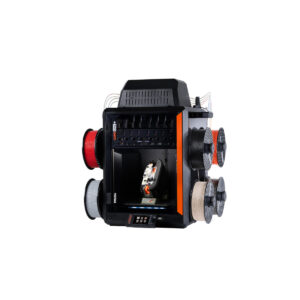
The Prusa CORE One with INDX upgrade is equipped with a color LCD screen that, among other things, supports G-code thumbnails and QR codes. For the versions of the CORE One without…
If you received your Prusa CORE One INDX conversion kit with the Prusa CORE One+ Gen 2 upgrade, or bought the Gen 2 upgrade separately and want to install both at the same time,…
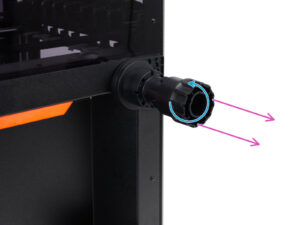
Prusa telescopic spoolholder, also known as Prusa bayonet spoolholder, is a spoolholder solution to fit in as many of our printers as possible, to which either spools or our USS…
Safety is a crucial aspect of operating a machine, and we take it seriously. Our Prusa CORE One, CORE One L, and our Original Prusa XL, MK4/S, MK3.9/S, and MK3.5/S have dedicated…
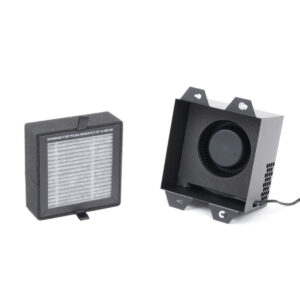
It is possible to have a HEPA filter on the CORE One/+ and the CORE One L. The XL enclosure comes with a HEPA filter. The filtration can be adjusted in the printer menu in Settings…
Below is a list of parts needed to upgrade an MMU2S to MMU3 (for MK3S+ or MK3.5/S), and to convert an MMU3 for MK3S+ to an MMU3 for MK4/S or MK3.9/S. MMU2S to MMU3 (for MK3S+,…
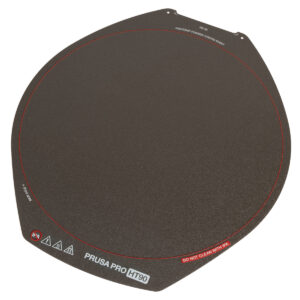
The Prusa Pro HT90 magnetic heatbed is designed to hold a removable double-sided flexible spring-steel sheet, designed specifically for easy removal of printed objects from the…
Air-gapped workflow One of the advantages of Prusa printers is their full-fledged functionality without an internet connection. This applies across the entire workflow - from designing…
This article guides you through the community version of the Prusa CORE One to the Prusa CORE One+ upgrade. It lists all the components required for the upgrade and provides instructions…
Although INDX is the go-to multi-material option for most CORE One L users, the MMU3 remains as a community-supported alternative for those preferring an efficient, classic multi-color…
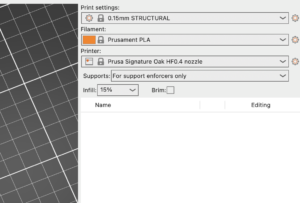
The Signature Oak print profile is available in PrusaSlicer 2.9.4 and newer. If you do not see Signature Oak in your printer list, it is most likely due to an outdated PrusaSlicer…
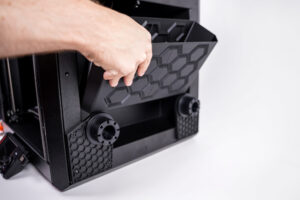
It is possible to install a larger bin for the nozzle cleaning residues. Below are the instructions for self-install. It is necessary to have the printed parts and a drill with…
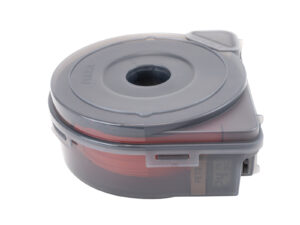
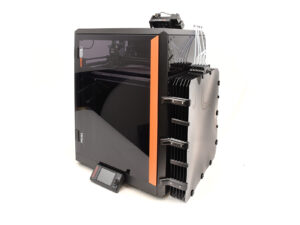
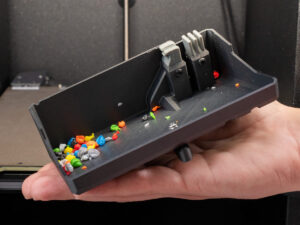
During multicolor printing, the Prusa CORE One INDX wipes the nozzle along the side of the print area, shedding excess filament pellets into a collection container. When is it…
The Save Logs to File feature records real-time internal diagnostic data directly to an attached USB flash drive. When activated, the printer writes system events sequentially…
The Prusa OpenPrintTag upgrade for CORE One/+ and CORE One L/+ is an add-on that brings effortless material recognition to your 3D printer. Please note that this upgrade requires…